

Your photos are sharp, your rooms are immaculate, yet guests keep scrolling past your listing to book the flat three doors down. The difference? It isn't the quality of your images. It's the order they appear in. The first five photos are the only ones most searchers ever see, and if you've buried your hero room behind a hallway, a bathroom or a close-up of your coffee machine, you've lost the booking before the guest even clicks through.
What Is Airbnb Photo Sequence Strategy?
Airbnb photo sequence strategy is the deliberate ordering of your listing images to maximise click-through and booking conversion. It prioritises your most compelling, bookable spaces in the first five positions, guiding the guest from visual hook to reservation decision in seconds. The sequence tells a story: here's why you want to stay, here's what makes it special, here's everything you need.
Airbnb's search results display only your first image as a thumbnail. Once a guest clicks, they see a grid or carousel, but most never scroll beyond the first handful. If your best room is photo seven, it might as well not exist. Sequencing is about understanding what converts and placing it front and centre, not hoping the guest will dig for it.
The Sequencing Mistake Most Hosts Make
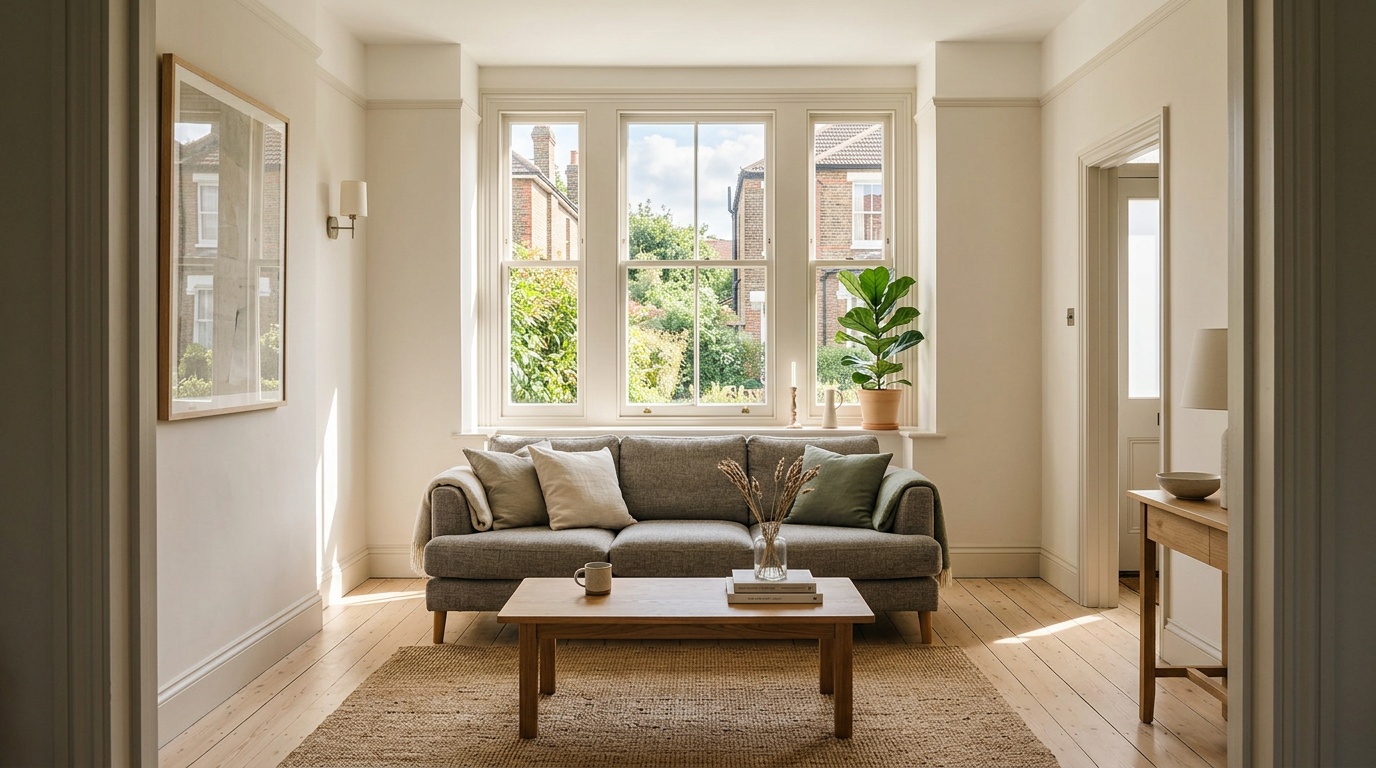
Here's the pattern we see again and again in listings that underperform: hosts upload photos in the order they took them, or in the order that feels logical when you live there. You start with the entrance, move through the hallway, show the kitchen, then eventually reach the living room or bedroom. By the time the guest sees your beautiful, light-filled lounge with the bay window and original fireplace, they've already closed the tab.
The mistake is treating your photo gallery like a house tour instead of a sales pitch. Your entrance hallway might be tidy, but it doesn't make anyone want to book. Your bathroom might be spotless, but it's a checklist item, not a decision driver. These images belong later in the sequence, after you've hooked the guest with the room they'll actually remember.
Another common error: leading with exterior shots. A nice street view or building facade is useful context, but it rarely triggers an emotional response. Guests book spaces they can imagine themselves in. Start inside, where the experience happens.
The Airbnb Photo Order That Converts
Top-performing listings follow a hierarchy that mirrors the guest's decision process. Here's the framework:
Position 1: Your Hero Space
This is the room that defines your listing. For most properties, it's the living room or the main bedroom. It should be your widest, brightest, most aspirational shot. This image does one job: make the guest click. It needs to communicate style, light and comfort in a single frame. Avoid close-ups or detail shots here. You want the guest to see the whole room and picture themselves in it.
If you have a standout feature (a balcony with a view, a freestanding bath, a fireplace, a workspace with natural light), make sure it's visible in this shot. Don't save it for later.
Positions 2-3: The Other Key Spaces
These are the rooms that close the deal. If your hero was the living room, position two should be the main bedroom. If your hero was the bedroom, position two should be the living area or kitchen. Position three is typically the second bedroom (if you have one) or the kitchen (if it's well-styled and a selling point).
The goal here is to answer the guest's unspoken questions: where will I sleep? Where will I relax? Where will I make breakfast? You're building a complete picture of the stay, fast.
Positions 4-5: Practical Reassurance
Now you can show the bathroom, the workspace (if you have a desk and chair set up), or exterior context (building, street, parking). These images don't generate excitement, but they do eliminate doubt. The guest is already interested; now you're proving there are no nasty surprises.
If you have outdoor space (garden, balcony, terrace), position four or five is a strong placement. It's a value-add that seals the booking once the main rooms have done their job.
Position 6 Onwards: Supporting Detail
Everything else: additional bathroom angles, kitchen close-ups, storage, hallway, amenity details (the coffee machine, the Smart TV, the bookshelf). These images matter for guests who are already convinced and are now checking specifics, or for those scrolling during the final decision stage. They won't win you the booking, but poor photos here can lose it.
How to Audit Your Current Airbnb Photo Sequence
Open your listing as a guest would see it. (Log out or use an incognito window, then search for your own property.) Look at the first five photos. Ask yourself:
- Do these five images alone make me want to book? Pretend you've never seen the property before. If you wouldn't click through based on this handful, neither will a guest.
- Is my best room in position one or two? If not, you're haemorrhaging clicks.
- Am I showing function before emotion? If your first three images are entrance, hallway and bathroom, you're sequencing for logic, not conversion.
- Have I buried my USP? If you have a view, a fireplace, a workspace or outdoor space, it should be visible in the first five. Scroll beyond position five and you've hidden your strongest selling point.
Now open three direct competitors: similar properties within a few streets or postcodes, at a similar price, with strong review counts. Compare their first five images to yours. Notice the pattern? Most high-performing listings lead with the living room or main bedroom, show a second key space immediately, and save functional shots (bathroom, hallway, exterior) for later. If your sequence is the outlier, you've found your problem.
Want an assessment of your listing sequence alongside your title, pricing and amenities? Zugrow's free listing score analyses your photos and shows you exactly where the gaps are, with specific suggestions to improve.
Airbnb Competitor Photo Analysis: What to Look For
Studying your competitors' photo sequences reveals the local playbook. Here's what to check:
Which Room Do They Lead With?
Open five listings with high review counts and similar nightly rates. Note which room appears first in each. If four out of five lead with the living room and you're leading with the hallway, you're fighting the local expectation. Guests searching your area have been trained to expect a certain visual rhythm. Breaking it without good reason costs you clicks.
How Quickly Do They Show the Bedroom?
In most listings, the main bedroom should appear by position two or three. If competitors are showing it earlier than you, they're reassuring the guest faster. Delay too long and the guest assumes the bedroom must be the weak point.
Where Do They Place the Bathroom?
Almost universally, top-performing listings place bathroom shots after position three. They're necessary, but they don't convert. If you're showing your bathroom in position two, you're wasting prime real estate.
Do They Show Outdoor Space Early?
If you have a balcony, garden or terrace, check where competitors with similar features place theirs. Outdoor space is a strong value-add in UK listings (especially post-pandemic). If rivals are showing it in position three or four and you've buried it at position nine, you're losing a competitive edge.
If you're not sure how your listing stacks up against local rivals on photo sequencing, pricing and amenities, get your free Airbnb performance score from Zugrow. It benchmarks your listing and highlights the changes that will move the needle.
The Airbnb Listing Photo Layout That Stops Guests Scrolling Past
The best photo sequences follow a three-act structure:
Act One (positions 1-2): Aspiration. Show the guest the experience they're buying. Beautiful, wide-angle shots of the rooms they'll spend most of their time in. This is where emotion and imagination do the work. The guest should be able to picture their morning coffee, their evening wind-down, their laptop open on the sofa.
Act Two (positions 3-5): Confirmation. Prove you've thought of everything. Show the second bedroom, the workspace, the outdoor space, the parking. These images answer practical questions and remove friction. The guest is already interested; now you're building confidence.
Act Three (positions 6+): Detail. Close-ups, amenity highlights, additional angles. This is for the guest who's already convinced and is now checking specifics, or comparing you to a shortlist. Poor photos here can still lose the booking (a grotty shower, a cramped hallway), but great photos here rarely win it.
This structure mirrors the way guests make decisions. They're not reading your listing like a book, front to back. They're scanning for reasons to stay or leave. Give them the reasons to stay first.
Step-by-Step: How to Reorder Your Airbnb Photos
Reordering is simple, but it requires you to think like a guest, not a host. Here's the process:
- Download all your current photos. Open your Airbnb listing editor and save every image to a folder. Label each one clearly (living-room-wide, bedroom-main, bathroom-01, etc.) so you can identify them at a glance.
- Print or display thumbnails. Lay them out on a table or open them in a grid view on your screen. You need to see them all at once, not one at a time.
- Identify your hero shot. Which single image makes you want to book? It should be wide, bright and aspirational. This becomes position one. If none of your current images fits the bill, you need to reshoot before you reorder.
- Pick your second and third images. These should be the other two rooms that define the stay: usually the bedroom and kitchen, or the living room and second bedroom. Avoid close-ups and functional shots here.
- Slot in reassurance. Positions four and five are for the bathroom, exterior, workspace or outdoor space. These are checklist items. They don't excite, but they must be present.
- Everything else goes after position five. Additional angles, detail shots, amenity close-ups. Order them logically, but don't agonise. Few guests scroll this far unless they're already convinced.
- Upload in the new order. In your Airbnb listing editor, delete all existing photos and re-upload them in your chosen sequence. (Alternatively, drag-and-drop to reorder if your editor supports it, but deleting and re-uploading ensures the order is correct.)
- Check the live listing. Log out and view your listing as a guest. Confirm the first five photos are exactly as you intended. Sometimes the Airbnb app caches old images, so check on multiple devices.
For more guidance on which room order works best for different property types, read our deep-dive on Airbnb photo sequencing and room order.
Common Photo Sequence Fixes That Increase Bookings
Here are the fastest wins we see when hosts reorder their galleries:
Move the Living Room to Position One
If you currently lead with an exterior shot, hallway or bedroom, test moving a wide-angle living room image to the front. The living room is where guests imagine spending time. It's neutral, aspirational and usually the brightest room. This single change can lift click-through noticeably, especially for whole-property listings (flats, houses, cottages).
Push the Bathroom to Position Four or Later
Bathrooms are necessary but not persuasive. If yours is currently in position two or three, you're wasting high-value slots. Move it to position four or five, after you've shown the bedroom and kitchen. Guests will find it when they need to; you don't need to lead with it.
Bring Outdoor Space Forward
If you have a balcony, garden or terrace and it's currently languishing at position eight or nine, move it to position four or five. Outdoor space is a major differentiator, especially in urban listings. Don't hide it.
Replace Close-Ups with Wide Shots in the First Five
Detail shots (the coffee machine, the rainfall shower, the bookshelf) belong after position five. If you're showing a zoomed-in amenity photo in the first handful, swap it for a wide-angle room shot. Guests need to see the space first, the details second.
If you'd like a professional eye on your photo sequence alongside your title, pricing and amenities, Zugrow analyses your entire listing for free and delivers specific, actionable suggestions. No guesswork, just a clear roadmap.
Why Photo Order Matters More Than Photo Quality
A mediocre photo in position one will be seen by every guest who lands on your listing. A stunning photo in position eight will be seen by almost no one. Visibility beats perfection. You can have the most beautiful, professionally shot gallery in your area, but if the sequence is wrong, it won't convert.
This doesn't mean quality is irrelevant. Poor lighting, wonky angles and cluttered rooms will always hurt you. But if you're choosing between reshoot everything and reorder what you have, reorder first. It's free, it takes an hour, and the impact is immediate.
Once your sequence is solid, then invest in better images for the rooms that matter most (hero space, bedroom, kitchen). You'll know exactly which shots need upgrading because you'll see which positions drive the most engagement. For practical editing advice, see our guide to the best Airbnb photo editing tools for UK hosts.
How Zugrow Audits Your Photo Sequence
When you run your listing through Zugrow's free scoring tool, the photo analysis identifies:
- Which room is in position one, and whether it's the right choice. We flag listings that lead with low-converting images (hallway, exterior, bathroom) and suggest the room that should take priority.
- Whether your hero spaces appear in the first five. If your living room is position six or your outdoor space is position nine, we'll call it out and recommend a reorder.
- Gaps in your coverage. Missing bedroom shots, no kitchen photo, no bathroom angle. These aren't sequencing issues, but they affect conversion and we'll flag them.
- Opportunities to replace weak images. If you have multiple similar shots (three bedroom angles, two hallway views), we'll suggest consolidating and replacing duplicates with higher-value content.
The analysis is instant, specific and free. Get your Airbnb listing score here and see exactly how your photo sequence compares to local competitors.
What to Do After You've Reordered Your Photos
Once your sequence is optimised, the work isn't finished. Photos degrade in performance over time as guest expectations shift and competitors improve. Set a recurring calendar reminder (quarterly is sensible) to:
- Review your first five images. Do they still represent your strongest spaces? Have you made any changes to the property (new furniture, redecorated, added amenities) that aren't reflected?
- Check competitor sequences again. Search your area and compare your first five to the top three listings. If they've moved ahead, what have they changed?
- Test a new position one. If you have two strong contenders for hero image (living room vs. bedroom, interior vs. exterior with view), try swapping them for a month and compare click-through and booking rates. Airbnb doesn't surface this data directly, but you'll see the impact in views and enquiries.
- Reshoot weak spots. If your bedroom photo is dark or your kitchen is cluttered, upgrade it. Now that your sequence is right, you'll get more return on the effort.
For ongoing competitor intelligence, including pricing shifts and occupancy patterns, read our guide to Airbnb competitor price tracking.
The Sequencing Checklist: Audit Your Listing in Five Minutes
Print or save this checklist and review your listing quarterly:
- ☐ Position 1 is my best room (living room or main bedroom), shot wide-angle in good light.
- ☐ Positions 2-3 show the other key spaces (bedroom, kitchen, or second bedroom).
- ☐ Bathroom, hallway and exterior appear at position 4 or later.
- ☐ Outdoor space (if present) is in the first five photos.
- ☐ I have no duplicate or near-identical images in the first five.
- ☐ My first five photos contain no close-ups or detail shots.
- ☐ Every photo in the first five is bright, uncluttered and shows a complete room.
- ☐ I have checked three direct competitors and my sequence matches or beats theirs.
If you can't tick every box, you have sequencing work to do. The good news: reordering is free, fast and often the highest-leverage change you can make to your listing. For a full diagnostic alongside title, pricing and amenity recommendations, Zugrow's free listing score gives you the complete picture in seconds.
Frequently Asked Questions
Should my first Airbnb photo be inside or outside?
In almost all cases, your first photo should be inside the property, showing your hero room (living room or main bedroom). Exterior shots provide context but rarely trigger the emotional response that drives bookings. Lead with the space guests will experience, not the building they'll arrive at. Save exterior photos for position four or five.
How many photos should an Airbnb listing have?
Most high-performing listings have between 15 and 30 photos. Fewer than 15 and you risk missing key angles or rooms, which creates doubt. More than 30 and you're likely including duplicates or unnecessary close-ups that dilute the gallery. Quality and sequence matter more than quantity. Ensure the first five are strong, then add supporting detail.
Can I reorder Airbnb photos without deleting them?
Yes. In the Airbnb listing editor (desktop version works best), you can drag and drop images to reorder them. Click on a photo, hold, and drag it to the desired position. Changes save automatically. After reordering, view your live listing in an incognito window to confirm the sequence displays correctly for guests.
What room should be first in an Airbnb photo gallery?
For most whole-property listings (flats, houses, cottages), the living room should be first. It's the space guests imagine spending time in, and it's usually bright, wide and aspirational. For studio flats or private rooms, lead with the main bedroom or the combined living-sleeping area. Avoid leading with hallways, bathrooms or exterior shots unless you have a genuine architectural showpiece.
Do Airbnb photo captions affect bookings?
Yes, but only for guests who click through and scroll. Captions don't appear in search results, so they won't help you get the initial click. Once a guest is viewing your gallery, clear captions (such as 'Main bedroom with king-size bed and wardrobe' or 'Fully equipped kitchen with dishwasher and coffee maker') reduce friction and answer unspoken questions. Keep them short, descriptive and factual.
How often should I update my Airbnb photos?
Review your photo sequence quarterly and your actual images annually. If you redecorate, add furniture or change a room's function (such as turning a dining area into a workspace), reshoot and update immediately. Stale photos that no longer match the guest experience lead to disappointed reviews. Sequencing tweaks can happen more often, especially if you notice competitors improving their galleries.
Conclusion
Your competitor's listing isn't beating yours because their flat is better. It's beating yours because their photo sequence tells a better story, faster. The first five images are the only ones most guests ever see. If you've buried your hero room behind a hallway, a bathroom or a close-up of the coffee machine, you're losing bookings to rivals who understand that visibility beats perfection.
Reordering your gallery is free, takes less than an hour, and often delivers the single largest lift in click-through and conversion you'll see from any listing change. Start with your best room in position one. Follow with the spaces that define the stay. Push functional shots (bathroom, hallway, exterior) to position four or later. Then watch your engagement climb.
Ready to see how your listing measures up? Get your free score at Zugrow and find out exactly which changes will move the needle.