

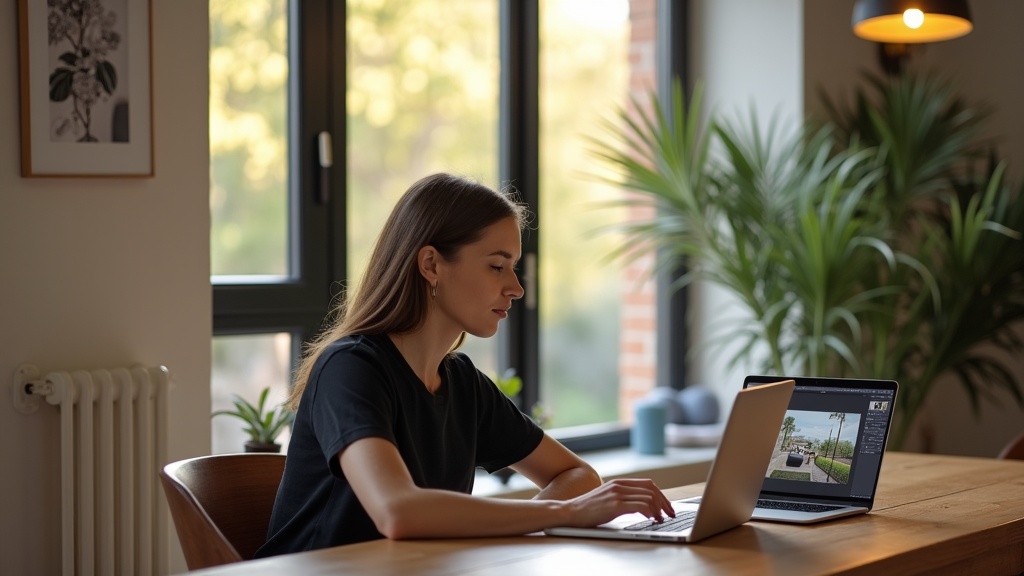
You've scrolled through your Airbnb photos and know they're not winning clicks, but a professional photographer is a real outlay and editing software subscriptions keep piling up. The good news is that AI photo editing tools built for Airbnb listings can improve your images in minutes, and some charge per photo rather than every month.
Below is an honest ranking of the best Airbnb photo editing tools for UK hosts in 2026, compared on price, ease of use, AI capability and whether they suit short-term rental photography. Prices come from each provider's own website in October 2026, and we've flagged where each tool is genuinely the right fit.
Quick Comparison: Best Airbnb Photo Editing Tools (2026)
Transparency: Zugrow publishes this blog, and Zugrow is one of the tools compared below. We've kept the comparison factual and flagged where rivals are the better fit, but read it with that context in mind.
1. Zugrow Photo Enhancement. Best Airbnb Photo Editing Tool for UK Hosts
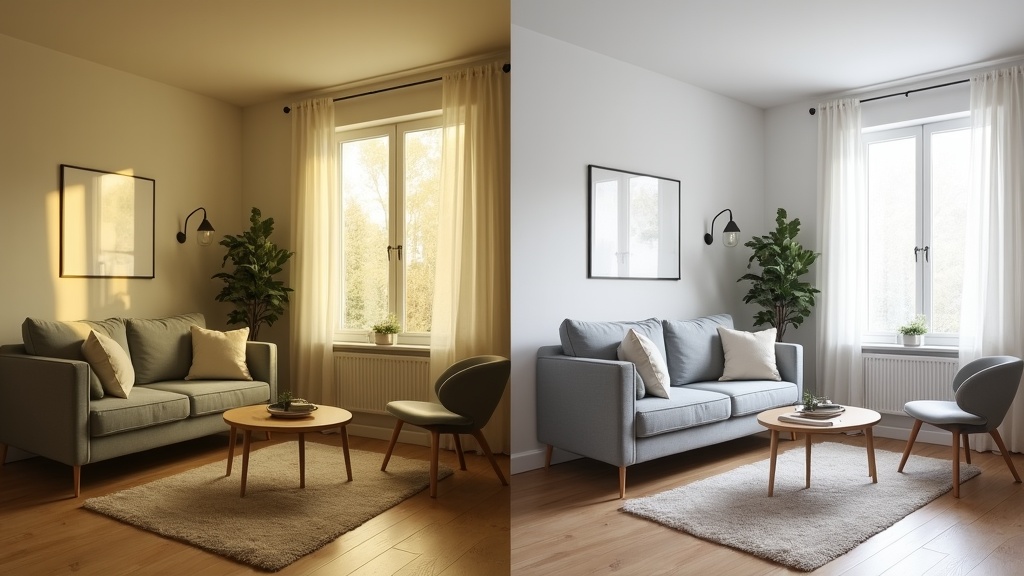
Best for: Self-managing UK hosts who want AI-enhanced listing photos without a monthly subscription, starting from their Airbnb listing link or their own uploads.
Price: Pay per photo, once, with no subscription. Photos 1 to 10 cost 99p each, 11 to 20 cost 75p, 21 to 30 cost 55p, 31 to 40 cost 49p and 41 onwards cost 47p. Each rate applies only to the photos in that band, so 20 photos cost £17.40.
Zugrow Photo Enhancement is built for hosts who need better listing photos fast. Add photos from your listing link or upload your own, and the AI corrects lighting, colour, exposure, sharpness and perspective, and can reduce small clutter such as cables or toiletries. It does not add objects, remove furniture or change the layout of a room, so your photos still show the real space. That matters, because Airbnb's ground rules require listing photos to accurately represent the space.
Why it ranks first for most UK hosts:
- No subscription. Pay once per order; ideal if you're refreshing one listing or trying enhancement before committing
- Built for listing photos. It sticks to the corrections that make a room look the way it does in person, and nothing that would misrepresent it
- Quick turnaround. Most orders are ready in 5 to 10 minutes, and you can have any photo redone at no extra charge if you're not happy with it
- Clear GBP pricing. Prices in pounds, with no currency conversion
- Part of Zugrow's listing tools. Pair photo enhancement with a free listing performance score to see what else to fix
Cons:
- Not a manual editing suite. Hosts who want slider-level control over shadows or saturation will prefer Lightroom
- No virtual staging or floor plans. If you need those, Styldod covers them
Verdict: If you're a UK self-managing host who wants quick, truthful AI enhancement without learning Photoshop or paying every month, Zugrow Photo Enhancement offers a strong balance of speed, cost and Airbnb relevance.
2. Styldod. Best for Virtual Staging and Floor Plans
Best for: Hosts who need virtual staging, floor plans or object removal alongside photo editing.
Price: Per image, in US dollars. Its virtual staging page lists $23 per image, or $16 per image for orders of 8 or more. Its self-serve AI tool has a free start; check its website for current rates on other services.
Styldod is a real estate visual marketing service. Its expert services include virtual staging, image enhancement, object removal, day to dusk edits, floor plans and 360° virtual tours, with a stated 24 to 48 hour turnaround. It also offers self-serve AI tools. It is aimed at estate agents and property managers who need a full visual marketing suite.
Pros:
- Virtual staging is useful if you're marketing an unfurnished property before it is set up
- Floor plans and 360° tours from the same provider
- Pay for the services you use
Cons:
- Not Airbnb-specific. The editing style is aimed at sales and lettings listings rather than short stays
- Expert services take 24 to 48 hours rather than minutes
- Virtual staging can mislead Airbnb guests, who expect to see the actual space
Verdict: Choose Styldod if you need floor plans or staging for an unfurnished property. For straightforward Airbnb photo optimisation of a furnished rental, Zugrow's AI enhancement is quicker.
3. Adobe Lightroom. Best for Manual Control
Best for: Hosts with photography experience who want detailed editing control and are comfortable with a learning curve.
Price: £11.99 a month including VAT for the Lightroom plan (annual plan, billed monthly), or £119.09 a year paid upfront. The Photography plan, which adds Photoshop, is £19.97 a month.
Adobe Lightroom is an industry-standard photo editor used by professional photographers. It has automatic adjustments, but the real power is in manual control of exposure, white balance, highlights, shadows, colour grading and lens correction.
Pros:
- Detailed manual control over every part of the image
- Non-destructive editing with full history and presets
- Cloud sync across desktop and mobile
- Widely used by professional property and hospitality photographers
Cons:
- Steep learning curve. Expect hours of tutorials before you're confident
- Ongoing monthly or yearly cost
- No Airbnb-specific guidance. You're responsible for knowing what makes a high-converting Airbnb photo
- Time-intensive. Editing 20 or more listing photos by hand can take an afternoon
Verdict: If you already know your way around Lightroom or enjoy photography as a hobby, it's a powerful tool. If you're a busy host who just needs better photos fast, the time and the yearly cost are hard to justify for a couple of updates a year.
4. Canva Pro. Best for Hosts Creating Marketing Graphics
Best for: Hosts who also design Instagram posts, welcome guides or social media content alongside photo editing.
Price: £100 a year for one person.
Canva Pro is best known as a design platform, but it includes AI tools such as a background remover, filters and one-click adjustments. It runs in the browser, so there's nothing to install.
Pros:
- Intuitive drag-and-drop interface with a minimal learning curve
- Huge template library for social posts, property brochures and guest guides
- AI background remover included
- Good value if you already use it for branding and content
Cons:
- Photo editing is secondary to design, and the adjustments are basic compared with dedicated tools
- Not built for interior or Airbnb photography
- A yearly cost for features you may not fully use
Verdict: Canva Pro makes sense if you're actively creating marketing content and want design plus light editing in one place. For serious Airbnb photo editing, pair it with a dedicated AI enhancer like Zugrow.
5. Luminar Neo. Best for Enthusiast Photographers
Best for: Hosts managing several properties who want advanced AI tools and enjoy hands-on editing.
Price: One-time purchase from £129 for desktop only (Mac and Windows), or £159 to add the iOS, Android and ChromeOS apps. The app is yours to keep, but generative AI tools such as GenErase are included for the first year only and then renew through a Luminar Prime subscription.
Luminar Neo is a photo editor built around AI tools such as SkyAI for skies, EnhanceAI for one-click improvements, Magic LightAI for lighting and GenErase for removing distractions. It sits between consumer apps and professional suites like Lightroom.
Pros:
- Powerful AI tools for skies, lighting and removing distractions
- One-time purchase for the app rather than a monthly subscription
- Easier learning curve than Lightroom
- Strong for exterior shots (gardens, balconies, entrances)
Cons:
- A large upfront cost if you only edit photos once or twice a year
- Mobile apps cost extra over the desktop-only version
- Generative AI tools such as GenErase need a Luminar Prime subscription after the first year
- Not Airbnb-specific. No guidance on shot sequencing, hero images or optimal photo order
- Overkill for hosts with one or two listings
Verdict: Luminar Neo is excellent if you enjoy photography and want creative control across a portfolio. For most UK hosts it's more tool than you need, and the upfront cost buys a lot of pay-per-photo enhancement.
6. Photoroom. Best for Quick Mobile Editing
Best for: Hosts who edit mainly on their phone and need fast background removal or quick touch-ups.
Price: Paid plans (Pro, Max and Ultra), with a free trial on Pro and Max; yearly billing works out cheaper than monthly. Check Photoroom's pricing page for the current rate in your country.
Photoroom is an AI photo editor built mainly for product photography. Its standout feature is fast, accurate background removal, and it also offers an image enhancer, retouching and batch processing.
Pros:
- Fast background removal, useful for amenity close-ups and social graphics
- Mobile-friendly workflow
- Image enhancer and batch processing tools
Cons:
- Designed for product shots, not interiors
- Limited manual editing controls
- A subscription for full features
- Not built for the wide-angle, multi-element compositions typical of Airbnb listing photos
Verdict: Photoroom is handy for quick mobile edits and social content, but it isn't a serious Airbnb listing photo editor. Use it for secondary tasks (amenity highlights, Instagram stories) and a dedicated tool for your main gallery.
How to Choose the Best Airbnb Photo Editing Tool for Your Listing
The right tool depends on three things: your skill level, how often you update photos, and whether you need Airbnb-specific results.
If You're a Self-Managing Host With a Few Listings
Choose Zugrow Photo Enhancement. You'll get quick AI enhancement aimed at listing photos, pay only for what you use, and avoid the complexity and recurring cost of professional editing suites. Pair it with our photo layout and eye-movement guidance so your enhanced images appear in the best order.
If You're a Photography Enthusiast or Semi-Professional
Lightroom or Luminar Neo will give you creative control. Lightroom is £119.09 a year paid upfront; Luminar Neo is a one-time purchase from £129. If you edit photos every month across several listings, the control is worth it. If you refresh photos twice a year, pay-per-use AI is usually more cost-effective.
If You're Also Creating Marketing Content
Canva Pro makes sense as an all-in-one design and light editing platform. Use it for social posts, guest guides and branding, and use dedicated AI enhancement for your main Airbnb gallery.
If You Need Virtual Staging or Floor Plans
Styldod's staging and floor plan services may justify the cost. Remember, though, that virtual staging can backfire on Airbnb if guests feel misled. Always put truthful images first.
What to Look for in an Airbnb Photo Editing App
Not all photo editors suit short-term rental listings. Here's what genuinely matters:
- Lighting correction that doesn't look fake. AI should brighten dark rooms without unnatural halos or blown-out windows
- Colour accuracy. Guests want true-to-life tones, not oversaturated filters
- Perspective correction. Straightening wonky verticals makes rooms look more professional
- Clutter reduction without adding objects. The best tools tidy small distractions (cables, toiletries) but never add furniture or features that don't exist
- Speed. If editing 20 photos takes four hours, you're unlikely to keep your gallery up to date
- Built for listings. Tools made for product shots or estate agency marketing don't always suit how guests choose a short stay
We built Zugrow Photo Enhancement around these rules, which is why we rank it first for UK hosts who want honest, high-converting imagery.
Do You Really Need an AI Photo Enhancement Tool?
If your listing photos were taken on a modern smartphone in good natural light, you might not need one yet. But if any of these apply, enhancement is worth a look:
- Your photos look dim, yellow-tinted or have harsh shadows
- You photographed on a cloudy day or in the evening
- Your space looks smaller or less inviting than competitors' listings
- You're getting plenty of search impressions but few clicks through to your listing
- Guest reviews say the photos 'don't do the place justice'
From our own portfolio: we run about 24 short lets in Manchester, and our listing photos were taken on a smartphone. That is one example, not a rule. A professional shoot can still be the right call, especially if your rooms are hard to light or you're missing key shots, but a phone in good light can take you a long way.
Good enhancement isn't about deception. It's about showing your space the way the eye sees it, correcting for the limits of a phone camera. Airbnb's own ground rules say it will ask hosts to remove content where AI or other digital tools have been used to edit flaws, hide damage or add amenities, so truthful lighting, accurate colour and no added objects are the line to stay on.
UK Hosts: Watch Out for These Photo Editing Pitfalls
1. Over-editing that disappoints guests
Cranking saturation up or adding virtual furniture creates a gap between expectation and reality. Stick to enhancement (better lighting, colour, clarity) rather than invention.
2. Ignoring photo sequence
Even beautifully edited photos will underperform if your hero image is weak or your gallery order is random. Our photo sequencing guide shows the order that stops guests scrolling past.
3. Paying for subscriptions you barely use
If you edit photos twice a year, a £119.09 yearly Lightroom plan works out at about £60 per editing session. Enhancing 20 photos with Zugrow costs £17.40 each time.
4. Forgetting mobile preview
Many guests browse Airbnb on their phones, so always preview your edited photos on a phone screen. Details that look great on a desktop can disappear on a small display.
Frequently Asked Questions
What is the best app to edit Airbnb photos in the UK?
For most UK hosts, Zugrow Photo Enhancement offers a strong balance of speed, cost and Airbnb relevance. Most orders are ready in 5 to 10 minutes with no subscription, priced per photo from 47p (99p each for the first 10, falling in bands after that). Hosts who want manual control and have editing experience may prefer Adobe Lightroom (from £11.99 a month).
Can I edit my Airbnb photos for free?
Yes. Free tools like Snapseed (mobile) and GIMP (desktop) offer basic adjustments, and Canva's free plan includes simple filters. They take more of your time and skill than paid AI tools, though. If your photos are costing you bookings, paying for enhancement can be worth it: 20 photos with Zugrow cost £17.40.
Is AI photo enhancement allowed on Airbnb?
Yes, as long as the result is truthful. Airbnb's ground rules for hosts say listing photos should accurately represent the space, and that Airbnb will ask hosts to remove content where AI or other digital technology has been used to edit flaws, hide damage, or add amenities or attributes the listing doesn't have. Correcting lighting, colour and clarity on what is really there is fine. Zugrow Photo Enhancement works on what's already in the frame and doesn't add objects.
Should I hire a professional photographer or use AI editing tools?
It depends on your starting point. If your photos are badly framed, too dark to rescue or missing key rooms, a professional shoot is worth the money. If your composition and coverage are solid but the images lack polish, AI enhancement costs a fraction of a shoot. Some hosts do both: a professional shoot once, then AI enhancement for seasonal updates or new amenity photos.
Which is cheaper: Lightroom or Zugrow Photo Enhancement?
Zugrow is cheaper unless you edit a lot of photos often. Lightroom costs £11.99 a month on an annual plan, or £119.09 a year upfront. Enhancing 20 photos with Zugrow costs £17.40, so about £17 to £35 a year if you do it once or twice. If you refresh your gallery every month or manage many properties, Lightroom's subscription may work out better, but only if you have the time and skill to use it well.
How do I know if my Airbnb photos need editing?
Run Zugrow's free Airbnb listing performance score. It gives your listing a score out of 100 with a breakdown across six areas, including your photos. Common signs your photos need work: dim or yellow lighting, tilted angles, plenty of search impressions but few bookings, or guest reviews saying the place was 'even better than the photos' (which means your images are underselling the space).
Final Verdict: The Best Airbnb Photo Editing Tool for UK Hosts in 2026
If you're a self-managing UK host who wants quick, honest, Airbnb-focused photo enhancement without a subscription or a Photoshop course, Zugrow Photo Enhancement is our pick. Add your listing link or upload your photos, get enhanced images in minutes, and pay only for what you use, from 47p per photo (99p each for your first 10).
For enthusiast photographers who enjoy manual control and edit regularly, Lightroom remains the industry standard. And if you need floor plans or virtual staging, Styldod covers those.
But for most UK Airbnb hosts (busy, self-managing and focused on bookings rather than pixel-peeping), enhancement built for short-term rental photos is the quickest win.
Ready to see the difference? Try Zugrow Photo Enhancement and refresh your listing gallery in minutes, or start with a free performance score to see where your photos (and the rest of your listing) can improve.
Sources, checked October 2026: Airbnb ground rules for hosts, Adobe Lightroom UK plans, Canva UK pricing, Luminar pricing, Photoroom pricing, Styldod services, Styldod virtual staging pricing, and Zugrow's terms for Zugrow's own prices and turnaround.