

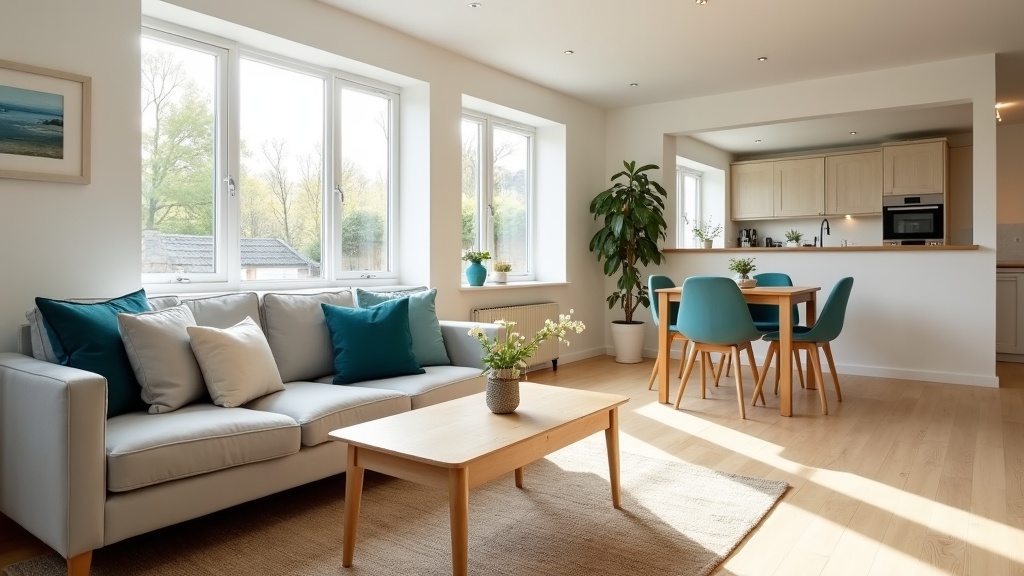
Your cover photo is the large image guests see for your listing in Airbnb search. Before they read your title, check your reviews or compare prices, that photo has to make them want to tap. For most listings it is the single most important image you upload.
This guide covers the type of cover shot that tends to work best, the shot list behind it, how to check whether your cover photo is working, and the common mistake that quietly costs bookings.
Why Your Cover Photo Is the Most Important Photo in Your Listing
Airbnb shows your first photo as the large image in search results, and your first five photos are displayed prominently on your listing. On a phone, guests scroll past dozens of listings quickly. They are scanning for a gut feeling of space, light and comfort long before they read the details.
The best photos for Airbnb aren't necessarily the most expensive or professionally lit. They're the images that answer the guest's unspoken question straight away: "Will I feel good here?" A bright, tidy room shot on a phone will usually beat a dark, cluttered one taken on an expensive camera.
If you're not sure whether your current cover photo is pulling its weight, Zugrow's free listing score includes a photo check that flags hero shot, lighting and ordering problems, so you can see where you may be losing clicks.
The One Cover Shot That Wins the Click (and Why It Works)
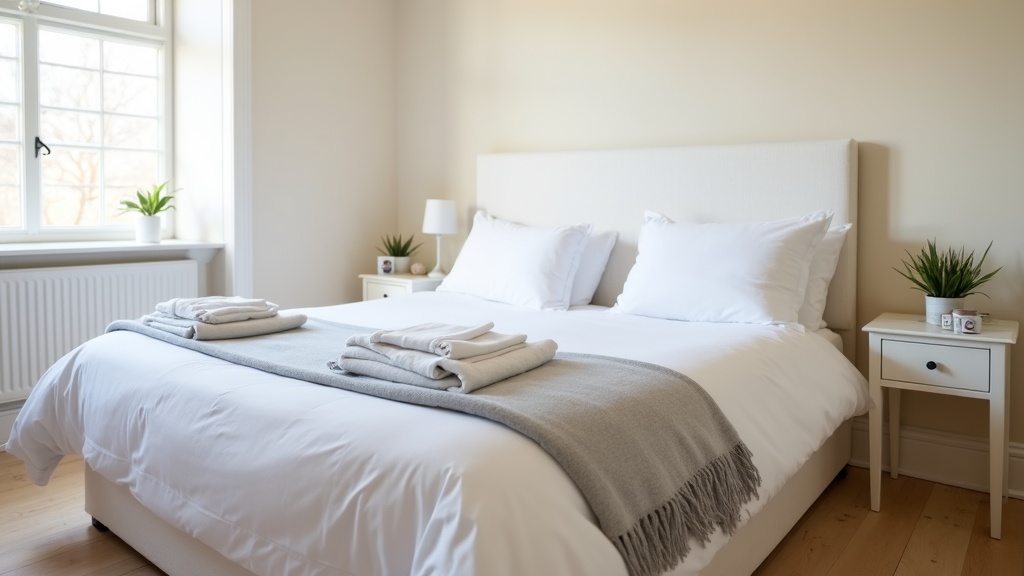
For most UK listings, the strongest cover photo is a wide, landscape shot of the living room or bedroom that shows natural light, depth and context. Not a close-up of a cushion arrangement. Not an artistic exterior angle. A clear, welcoming interior view that lets the guest picture themselves in the space.
Here's why this works: when guests scroll through listings, they are looking for two things, reassurance and value. A well-composed living room or bedroom photo with visible windows, neutral tones and clear surfaces signals both. It says "this is a real, clean, liveable space" without the guest reading a word.
Airbnb's own photo tips point the same way: use landscape format (search results display photos in landscape), use photos of at least 1024 x 683 pixels, shoot in daylight, and keep the space clean and uncluttered.
What Makes a Living Room Hero Shot Work
The best living room cover photos include:
- Natural light from at least one visible window. Daylight makes a room feel clean and spacious
- A clear sightline through the room. Depth makes small spaces feel larger
- Minimal clutter. A few decorative items per surface at most
- A seating area that fits at least two people. A single chair doesn't say comfort
Avoid shooting straight into a window, or the room will look dark against the bright glass. Stand side on to the window so daylight lights the room without blowing out the picture. On a smartphone, tap the screen on a mid-tone part of the room to set the exposure, rather than the brightest or darkest area.
When a Bedroom Hero Shot Beats the Living Room
If your property is a studio, a countryside cottage or a retreat for couples, a bedroom cover photo often works better than the living room. The principles are the same: light, space and an uncluttered composition.
Shoot from the foot of the bed at chest height, angled slightly towards a corner to show depth. Include a window if you can, and make sure the bedding is crisp and neutral. A bedroom hero shot suits romantic getaways, countryside stays and business travellers who care most about a good night's sleep.
For more on capturing bedrooms that communicate comfort and space, see our guide on Airbnb bedroom photos: light, space and comfort in images.
The Cover Photo Mistake That's Costing You Bookings
Using an exterior shot as your cover photo. Unless your property has a genuinely striking view, garden or building (think thatched Cotswolds cottage or Edinburgh New Town townhouse), an exterior cover photo is usually a wasted opportunity.
Guests book the inside of a property. A front door or façade tells them nothing about whether the space is bright, spacious or comfortable. If your building is a modern block or a terraced house on a busy street, an exterior cover can even work against you, by showing what the property isn't rather than what it is: a comfortable, well-designed place to stay.
There's one exception: if your outdoor space is genuinely special (a private hot tub with a mountain view, a walled garden with seating, a roof terrace overlooking the Thames), an exterior or amenity cover shot can work. But it must be immediately distinctive. A generic patio with a table and two chairs won't do it.
Best Airbnb Photos: The Complete Shot List Beyond the Cover
Once your cover photo earns the click, the next few photos help the guest decide. Airbnb says your first five photos matter most because they are displayed prominently, and you can drag them into the order you want in your photo tour. Make sure every room or space has at least one photo so it can appear in the tour. Here's a sequence that follows the questions guests ask:
1. Hero Image (Living Room or Bedroom)
Your strongest wide interior shot, as described above.
2. Kitchen (If Applicable)
Once the space looks inviting, guests want to know if they can cook. A clean, well-lit kitchen photo in second place reassures them. Show the hob, worktop and any good appliances (coffee machine, dishwasher). If your kitchen is small, shoot from the doorway at an angle to make the most of the space.
3. Bedroom (or Second Living Room Angle)
If your hero was the living room, show the bedroom here. If your hero was the bedroom, show a second angle of the living area or a special feature (fireplace, workspace, dining table).
4. Bathroom
Guests need to see a spotless bathroom to feel confident booking. Shoot from the doorway to capture the full layout. Make sure the taps shine and the towels are neatly folded. A rainfall shower or heated towel rail is worth showing off. For detailed advice on bathroom photography, see Airbnb bathroom photos: showcase cleanliness and modern features.
5. Unique Amenity or Selling Point
This is where you stand out. Show your parking space, your garden with outdoor seating, your dedicated workspace or your smart TV setup. If location is your main draw, include a well-chosen neighbourhood shot (a recognisable landmark within a short walk, not a generic street).
6 to 10. Supporting Detail Shots
Extra bedroom angles, close-ups of good furnishings, storage or views from the windows. These fill out the gallery and back up the impression your first five photos create. Airbnb also suggests showing accessibility features such as step-free floors, wide doorways and grab rails, where you have them.
Not sure whether your current photo order is working? Get your free Airbnb performance score and see whether your photos have hero shot, lighting or ordering problems. For a deeper dive into sequencing strategy, read our guide on Airbnb listing photos: the order that stops guests scrolling past.
Airbnb Photography Tips UK: Smartphone vs Professional
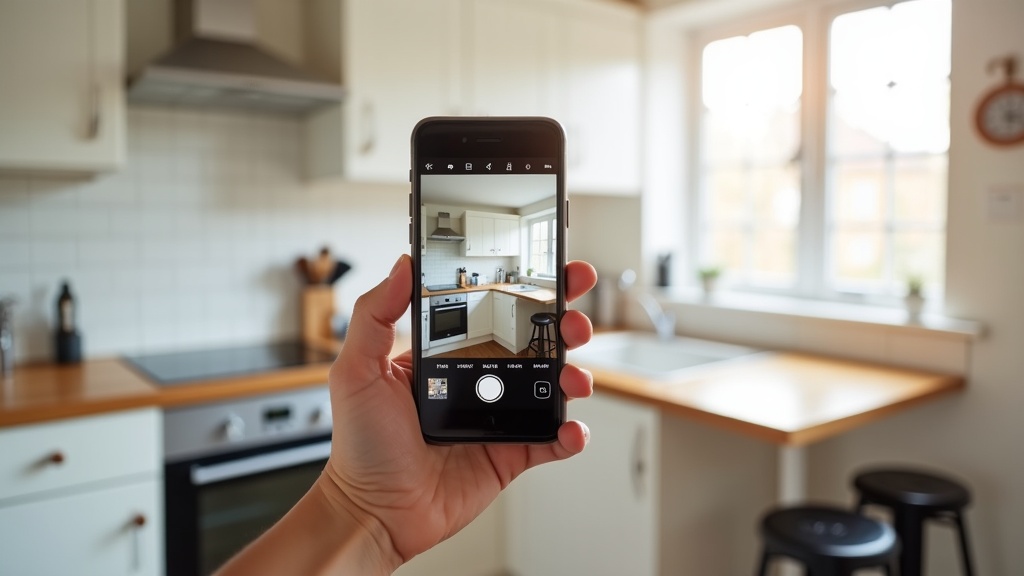
You don't need a professional photographer to create good Airbnb photos. A recent smartphone can produce cover-worthy images if you follow three rules:
- Shoot in daylight with curtains open. Natural light makes the biggest difference between amateur and professional-looking photos. Airbnb suggests opening the blinds and switching the lights on to brighten the space.
- Straighten your verticals. Wonky door frames and leaning walls look careless. Turn on the grid in your phone's camera settings and line up vertical edges before you take the shot.
- Clear every surface before you shoot. Remove toothbrushes, charging cables, remote controls and paperwork. If it isn't decorative or useful to a guest, it doesn't belong in the frame.
From our own portfolio: the listing photos for our Manchester short lets were taken on a smartphone. That's what we chose for our own homes, not a rule; plenty of hosts get great results from a professional shoot.
Professional photography can add value for higher-end properties, large homes, or busy city-centre markets where every listing looks polished. A professional brings wide-angle lenses, careful editing and an eye for composition that is hard to match on a phone.
If you're unsure, start with smartphone photos and upgrade to professional ones if your results suggest it is worth the cost. For a full breakdown of when to hire a pro, see Airbnb photos: smartphone vs professional photography comparison. And for practical DIY tips, check out Airbnb photo optimisation: professional tips without hiring a photographer.
How to Test and Improve Your Cover Photo
Airbnb doesn't tell you which photo performs best, but its conversion data shows whether guests click. In your host dashboard, go to Insights, then Performance, then Conversion (you may need to switch on professional hosting tools to see the Performance tab). Look at your first-page search impressions and your search-to-listing conversion, which shows how often guests who see you in search click through to your listing.
If you get plenty of search impressions but few click through, your cover photo (along with your price and title) is a likely culprit.
Run a simple test: swap your cover photo for a different interior shot and compare your search-to-listing conversion over the next few weeks with the period before. Change one thing at a time, and allow for seasonal swings in demand. If clicks improve, keep the new cover. If they drop, switch back and try another.
There is no official benchmark for a "good" click rate, and it varies by market, season and price point. Your own past figures are the fairest comparison.
Advanced Airbnb Photography Tips: Lighting, Angles, and Composition
Use the Golden Hour (or Fake It)
The softest natural light comes in the "golden hour" just after sunrise or before sunset. If you can't shoot then, an overcast day works well too, because clouds act as a natural diffuser, or you can bounce daylight off a white wall.
Shoot Wide, Crop Tight
Always shoot a little wider than you think you need. You can crop later to straighten lines and improve composition, but you can't add back space you didn't capture. Use your phone's ultra-wide lens if it has one, but avoid fisheye distortion: guests need to trust that the space looks real.
Include a Pop of Colour (But Only One)
Neutral palettes (whites, greys, beiges) photograph well and appeal to most guests, but one accent colour (a teal cushion, a mustard throw, a vase of fresh flowers) adds warmth and interest. Limit it to one or two items per shot, or the photo starts to feel busy.
Edit Consistently Across Your Gallery
Your photos should look like they belong to the same property. Apply the same brightness, contrast and colour adjustments across all of them so your gallery feels consistent. Avoid heavy filters. Guests want to see what the space really looks like.
What Guests Are Really Looking for in Your Photos
Guests don't just want pretty pictures. They want reassurance. Every photo should answer an unspoken question:
- "Is this place actually clean?" Spotless surfaces, crisp bedding, shining taps
- "Will I have enough space?" Wide angles, visible floor space, uncluttered rooms
- "Can I cook, work or relax here?" Clear shots of the kitchen, desk and seating areas
- "Is this listing real?" A consistent style across images, realistic angles, no stock photos
The best photos for Airbnb don't oversell or mislead. They show the property honestly, at its best, in flattering light. If a guest arrives and feels the photos were accurate, you've done your job. If they feel misled, you'll pay for it in reviews and future bookings.
Common Photo Mistakes That Tank Your Booking Rate
- Dark, underexposed images. Guests associate darkness with dirt and poor upkeep
- Cluttered surfaces. Personal items, toiletries and paperwork distract from the space
- Wonky angles and blurry shots. They look careless
- Photos that don't match the listing description. If you say "spacious", the photos must show it
- Portrait photos. Search results display photos in landscape, so vertical shots show less of the room
- Too many artistic close-ups. Guests need context, not a macro shot of a throw pillow
When to Update Your Photos (and Why It Matters)
Even great photos go out of date. Update your listing images whenever:
- You've refreshed furnishings, bedding or décor
- The space looks different with the seasons (for example, new garden furniture for summer)
- Your search-to-listing conversion has dropped noticeably for more than a month
- You've added new amenities (workspace, smart TV, coffee machine)
Guests also notice when photos look dated, and accurate, current photos avoid awkward surprises at check-in. Yellowing wallpaper or tired furniture will cost you bookings in a competitive market.
Want a second opinion on whether your photos are working? Zugrow's free Airbnb listing score includes a photo check that flags hero shot, lighting and ordering problems.
How Zugrow Helps You Identify Your Best Photo Strategy
Choosing the right cover photo and ordering your gallery is easier with a second pair of eyes. Zugrow's free listing score rates your listing out of 100 across title, photos, description, amenities, trust and pricing, and its photo check looks at your hero shot, lighting and photo order.
You'll see:
- Whether your current cover photo is the right choice
- Where lighting is letting your photos down
- Whether your photo order puts your strongest images first
- Which fixes to make first, in priority order
It's specific to your listing rather than a generic checklist. And if your existing shots need a lift, Zugrow's AI photo enhancement improves them from 47p per photo (the first ten photos are 99p each), pay per photo with no subscription, results in minutes and no invented features.
Frequently Asked Questions
What is the best cover photo for an Airbnb listing?
For most listings, a wide, landscape shot of the living room or bedroom with natural light, visible depth and minimal clutter. It should answer the guest's instant question: "Will I feel comfortable here?" Avoid exterior shots unless your building or outdoor space is genuinely distinctive.
Should I use professional photography for my Airbnb listing?
Professional photography can add value for high-end or large properties, or in busy markets where every listing looks polished. Many UK hosts get good results with a recent smartphone, daylight and careful composition.
How many photos should I upload to my Airbnb listing?
Airbnb doesn't set a fixed number for homes, but it recommends at least one photo of every room or space so each one appears in your photo tour. Put your strongest five first, because Airbnb displays them prominently, then add detail shots that genuinely help guests decide.
Can I edit my Airbnb photos after uploading?
Yes. You can reorder, replace or delete photos at any time. To change your cover photo, go to your listing, open the Listing editor, then Photo tour, then All photos, select the photo and choose Make cover photo. Changes can take up to 30 minutes to appear.
What's the most common photo mistake Airbnb hosts make?
Dark, underexposed images, often taken with the curtains closed. Daylight is the biggest factor in inviting, professional-looking photos, so shoot during the day with the curtains open, even if that means rescheduling.
How do I know if my cover photo is working?
Check your search-to-listing conversion in Airbnb's Insights (Performance, then Conversion). If you appear in search often but few guests click through, try a different interior shot as your cover and compare the figures over the following few weeks.
Final Takeaway: One Photo Decision That Changes Everything
Your cover photo is your first impression. It's not about having the most expensive furniture or the fanciest property. It's about showing a space that looks clean, bright and welcoming at thumbnail size. A well-composed living room or bedroom shot in natural light will usually beat a cluttered or dark image, whatever you spent on décor.
If you're serious about bookings, treat your cover photo as one of the most important decisions on your listing. Test it, refine it and keep an eye on your conversion figures.
Ready to see how your listing measures up? Get your free Airbnb score at Zugrow and discover exactly what's working, and what's holding you back.
Sources: Airbnb Help Centre: taking great photos of your listing, Airbnb Help Centre: setting up a photo tour, Airbnb Help Centre: understanding your conversion metrics.