

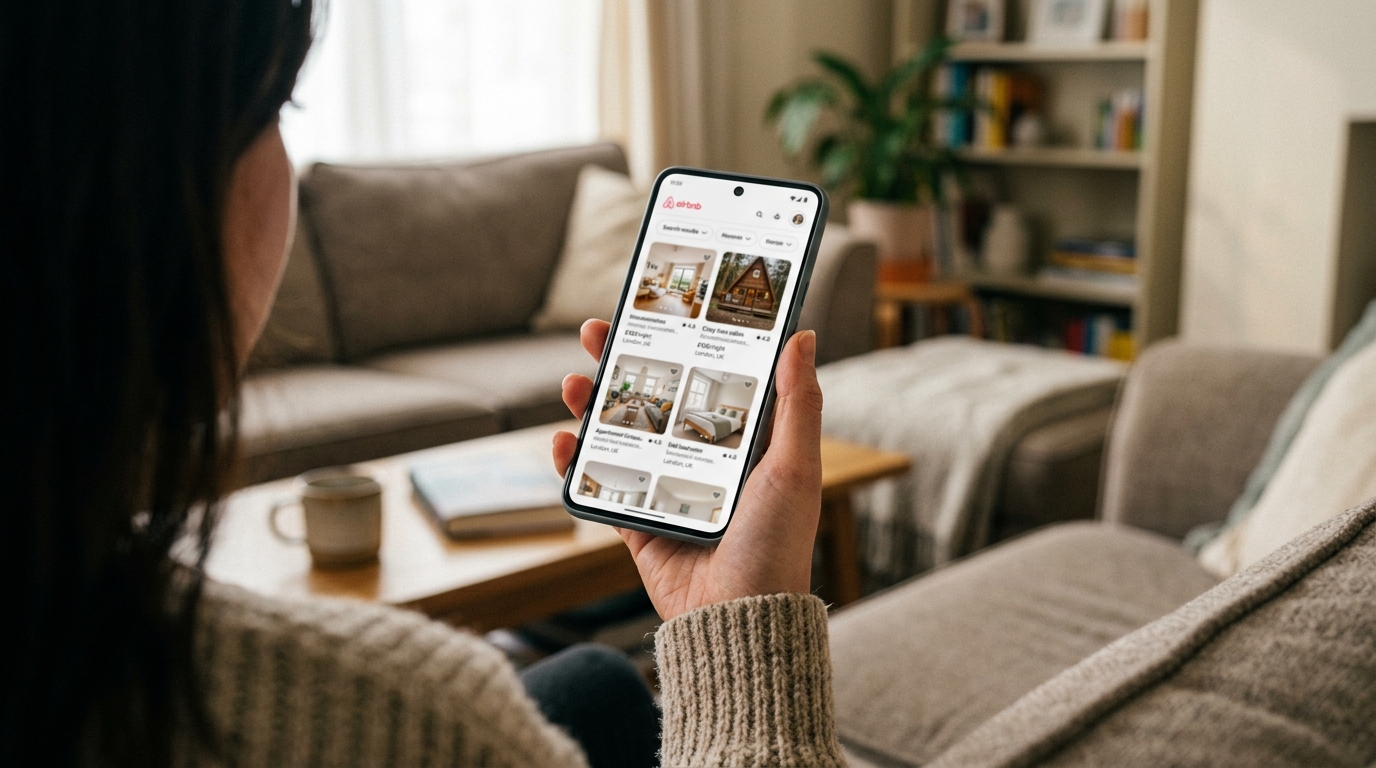
Your Airbnb title has one job: make someone click. Yet most hosts quietly lose bookings because their title is either too short to stand out or too long to read on a mobile screen. The difference between a title that converts and one that gets scrolled past often comes down to character count.
This guide walks you through the exact character range that delivers the highest click-through rate, why mobile truncation matters more than desktop display, and how to craft a title that uses every character without wasting a single word.
Why Airbnb Title Character Count Matters for Click-Through Conversion
When a guest searches for a property, your title appears in a crowded list. If it is too short, it lacks the detail needed to stand out. If it is too long, Airbnb truncates it mid-sentence, cutting off the most compelling part of your message. Either mistake costs you clicks.
Mobile dominates Airbnb search. Guests scroll through listings on phones, where screen real estate is tight. A title that fits perfectly on desktop may be chopped in half on mobile, leaving the reader with an incomplete thought and no reason to click through.
The goal is to find the sweet spot: long enough to communicate value, short enough to display in full on every device. That balance is where conversion happens.
The Optimal Airbnb Title Character Count Range
Airbnb allows up to 50 characters for your listing title. That is your hard limit, but the real question is how much of it actually displays before being cut off in search results.
Desktop displays roughly 45-50 characters. If you use the full allowance, your title will usually appear in full on a laptop or desktop browser. Guests see the complete message, and nothing is lost.
Mobile truncates at around 32-36 characters, depending on screen size, font rendering, and device resolution. Anything beyond that gets replaced with an ellipsis. If your key selling point sits in character 40, mobile users never see it.
The optimal character count for click-through conversion is 30-42 characters. This range gives you enough space to communicate a clear, compelling benefit while ensuring the title displays in full (or very nearly in full) on mobile screens.
Why 30-42 Characters Works
- Under 30 characters: You sacrifice detail. Titles like 'Cosy Edinburgh Flat' (21 characters) feel generic and leave the guest guessing. What makes it cosy? Where in Edinburgh? How many guests?
- 30-42 characters: You have room for a property type, a key benefit, and a location. Example: 'Stylish 2-Bed Flat, 5 Min to Princes St' (42 characters). Clear, specific, and fully visible on mobile.
- Over 42 characters: Mobile truncation kicks in. Anything beyond the ellipsis is invisible to the majority of searchers, and the message loses impact.
How to Check Your Airbnb Title Length
Before you write (or rewrite) your title, you need an accurate count. Word processors often include spaces and punctuation differently, and copying text from Airbnb can introduce hidden characters.
Here is the quickest way to check:
- Open your Airbnb listing editor and copy your current title.
- Paste it into a plain-text editor (Notepad on Windows, TextEdit on Mac) to strip formatting.
- Use an online character counter (search 'character count tool') or count manually. Every letter, space, comma, and ampersand counts.
Example: 'Bright Studio with Parking, 10 Min Walk to City Centre' is 55 characters. That exceeds the 50-character limit Airbnb allows, so it will be rejected when you try to save. You need to trim it to fit.
If you would like an assessment of your listing, including your title structure and how it compares to local competitors, Zugrow's free listing score analyses every element of your listing and shows you exactly where to improve.
The Mobile Truncation Problem (And How to Fix It)
Mobile truncation is not a minor annoyance. It is the single biggest reason well-written titles fail to convert. A guest scrolling on their phone sees only the first 32-36 characters. If your most compelling detail sits beyond that point, it is invisible.
Bad example: 'Beautiful Two-Bedroom Apartment with Free Parking' (52 characters). On mobile, this truncates to 'Beautiful Two-Bedroom Apartment w…'. The free parking detail, which could be the deciding factor for a guest comparing listings, is hidden.
Better example: 'Free Parking, 2-Bed Apt Near Station' (38 characters). The key benefit (free parking) appears first, and the title displays in full on mobile. The guest sees everything that matters before deciding whether to click.
Front-Load Your Key Benefit
Whatever makes your listing stand out should appear in the first 30 characters. That might be free parking, a view, proximity to a landmark, or a unique feature like a hot tub or balcony.
Ask yourself: if a guest only saw the first half of my title, would they click? If the answer is no, rewrite with the most compelling detail first.
Common Airbnb Title Length Mistakes That Kill Click-Through
Even experienced hosts make predictable mistakes with title character count. Here are the patterns that quietly cost you bookings, and how to fix them.
1. Wasting Characters on Filler Words
Every character counts. Words like 'lovely', 'beautiful', 'amazing', and 'perfect' add nothing specific and take up space that could communicate a real benefit.
Weak: 'Lovely Apartment in the Heart of London' (42 characters). What makes it lovely? Heart of London could mean anything.
Stronger: 'Central 1-Bed Flat, 3 Min to Covent Garden' (43 characters). Specific location, property type, and proximity to a landmark. Zero filler.
2. Repeating Information Already Visible in Search Results
Airbnb displays the number of guests, bedrooms, and bathrooms separately in search results. You do not need to spell out 'Sleeps 4' or 'Two Bathrooms' unless space allows and it adds context.
Redundant: 'Two-Bedroom Flat Sleeps Four with Parking' (45 characters). The guest already knows it sleeps four from the search filters.
Better use of space: '2-Bed Flat with Parking, 5 Min to Royal Mile' (46 characters). Location and parking are the differentiators, not the bed count.
3. Burying the Lead
If your best feature appears at the end of the title, mobile users never see it. This is the most common mistake hosts make when they think in full sentences rather than scannable phrases.
Buried lead: 'Stylish City Centre Apartment with Sea View' (46 characters). On mobile, this truncates to 'Stylish City Centre Apartment wi…'. The sea view, which is the standout feature, is hidden.
Fixed: 'Sea View Flat, City Centre, Sleeps 4' (37 characters). The view is front and centre, and the entire title fits on mobile.
How to Write a High-Converting Airbnb Title in 30-42 Characters
A strong title follows a simple formula: Key Benefit + Property Type + Location or Proximity. This structure ensures clarity, specificity, and maximum use of available characters.
Step 1: Identify Your Unique Selling Point
What is the one thing that makes your listing different from the others in your area? It might be:
- Free parking (especially valuable in city centres)
- A view (sea, mountain, garden, castle)
- Proximity to a transport hub or landmark (station, airport, university, Old Town)
- A standout amenity (hot tub, balcony, workspace)
- Pet-friendly or family-friendly features
Whatever it is, it belongs in the first 30 characters.
Step 2: Choose Property Type Over Generic Descriptions
Use 'flat', 'cottage', 'studio', or 'terrace' rather than vague terms like 'space' or 'place'. Property type signals what the guest can expect and filters out mismatched searchers.
Step 3: Be Specific About Location
Instead of 'city centre' or 'near shops', name a landmark, street, or neighbourhood that guests will recognise. 'Near Waverley Station', '10 Min to Piccadilly', or 'Old Town Views' all give context that helps a guest decide whether your location suits their plans.
Example Rewrites
Before: 'Charming Apartment in Brighton' (32 characters). Generic, no differentiator.
After: 'Sea View Flat, 5 Min to Brighton Pier' (39 characters). Clear benefit, specific location, fully visible on mobile.
Before: 'Modern Studio Close to Train Station' (38 characters). Vague proximity.
After: 'Studio 2 Min from King's Cross, Sleeps 2' (41 characters). Named station, guest count, no wasted words.
For more guidance on how to structure your title for maximum clarity and conversion, read our full guide on Airbnb title clarity score and how clear titles boost click-through.
Testing and Iterating Your Airbnb Title Length
Your title is not set in stone. If your click-through rate is lower than you would like, or if impressions are high but bookings are not following, your title may be the weak link.
How to test a new title:
- Change your title and give it at least two weeks to gather data. Airbnb's search algorithm takes time to adjust, and you need a meaningful sample of impressions to draw conclusions.
- Check your listing performance dashboard. Look for changes in views per impression (your click-through rate) and views per booking (your conversion rate).
- If views increase but bookings do not, your title is working and the problem lies elsewhere (photos, pricing, reviews). If views stay flat, the title is not compelling enough.
Not sure where to start? Get your free Airbnb listing score to see how your title, photos, and pricing compare to local competitors, with specific suggestions for improvement.
Airbnb Title SEO and Character Count
Character count is not just about what displays in search results. It also affects your Airbnb SEO, which determines where your listing appears when a guest searches for properties like yours.
Airbnb's algorithm favours titles that are specific, relevant, and keyword-rich. A title that uses the full allowance intelligently (without keyword stuffing) signals to the algorithm that your listing is well-optimised and worth showing to searchers.
Good for SEO: 'Dog-Friendly Cottage, Garden, Near Dartmoor' (43 characters). Includes a clear keyword ('dog-friendly'), property type, and location.
Bad for SEO: 'Lovely Holiday Home' (20 characters). No location, no differentiator, no reason for the algorithm to rank it above better-optimised listings.
For a deeper look at how keywords and structure affect your ranking, see our guide on Airbnb title SEO and the keywords that move you up search results.
What to Do If You Are Over the 50-Character Limit
Airbnb will not let you save a title longer than 50 characters. If you have written something compelling but it exceeds the limit, you need to trim without losing clarity.
Quick Trimming Strategies
- Abbreviate numbers: 'Two-Bedroom' becomes '2-Bed'. 'Five Minutes' becomes '5 Min'.
- Remove filler: 'With', 'the', 'a', and 'in' can often be dropped. 'Flat with Parking in City Centre' (35 characters) becomes 'City Centre Flat, Parking Included' (35 characters), same length but tighter phrasing.
- Use ampersands: 'Kitchen and Lounge' becomes 'Kitchen & Lounge'.
- Drop redundant details: If Airbnb already displays the guest count or bedroom number in search results, you do not need to repeat it in the title unless it adds context.
Example: 'Stylish Two-Bedroom Apartment with Free Parking in Central Edinburgh' (70 characters) is far too long. Trim to 'Central Edinburgh 2-Bed, Free Parking' (38 characters). Tighter, clearer, and fully visible on mobile.
How Zugrow Optimises Your Airbnb Title for Maximum Click-Through
Writing a high-converting title is part art, part science. You need the right keywords, the right structure, and the right character count, all tailored to your property and your local market.
Zugrow analyses your listing and rewrites your title for clarity, SEO, and conversion. We check character count, keyword placement, mobile truncation, and how your title compares to local competitors. You get a rewritten title that fits the optimal 30-42 character range, front-loads your key benefit, and uses every character to drive clicks.
Want to see where your current title stands? Get your free Airbnb listing performance score and we will show you exactly how to improve it.
Common Airbnb Title Character Count Questions
How many characters should my Airbnb title be?
Aim for 30-42 characters. This range ensures your title displays in full on mobile screens while giving you enough space to communicate a clear benefit, property type, and location. Anything shorter feels generic, and anything longer risks mobile truncation.
Does Airbnb have a character limit for titles?
Yes. Airbnb allows a maximum of 50 characters for your listing title. If you exceed this, the platform will not let you save your changes. However, mobile search results typically truncate at around 32-36 characters, so you should aim for a shorter, punchier title even if the full 50 characters are technically available.
Why does my Airbnb title get cut off on mobile?
Mobile devices have limited screen width, so Airbnb truncates titles that exceed roughly 32-36 characters with an ellipsis. This means guests scrolling on their phones only see the first part of your title. To avoid losing your key selling point, front-load the most important detail in the first 30 characters.
Should I use all 50 characters in my Airbnb title?
Not necessarily. Using the full allowance is less important than ensuring your title reads clearly and displays in full on mobile. A tight, well-structured title of 35-42 characters will usually outperform a longer one that gets truncated or feels padded with filler words.
How do I check if my Airbnb title is too long?
Copy your title and paste it into a plain-text editor, then count the characters (including spaces and punctuation). If it exceeds 50 characters, Airbnb will not save it. If it exceeds 36 characters, expect mobile truncation. The safest approach is to keep your title under 42 characters so it remains readable on all devices.
What should I put at the start of my Airbnb title?
Put your strongest selling point first. That might be free parking, a view, proximity to a landmark, or a standout amenity like a hot tub. Whatever makes your listing different from others in your area should appear in the first 30 characters, where it is guaranteed to be visible on mobile.
Final Thoughts: Make Every Character Count
Your Airbnb title is competing for attention in a crowded search feed. The difference between a click and a scroll often comes down to whether your title is clear, specific, and fully visible on the device your guest is using.
Aim for 30-42 characters. Front-load your key benefit. Cut filler words. Test, iterate, and watch your click-through rate improve.
Ready to see how your listing measures up? Get your free Airbnb performance score at Zugrow and we will show you exactly where to focus your efforts for the biggest improvement in bookings.