

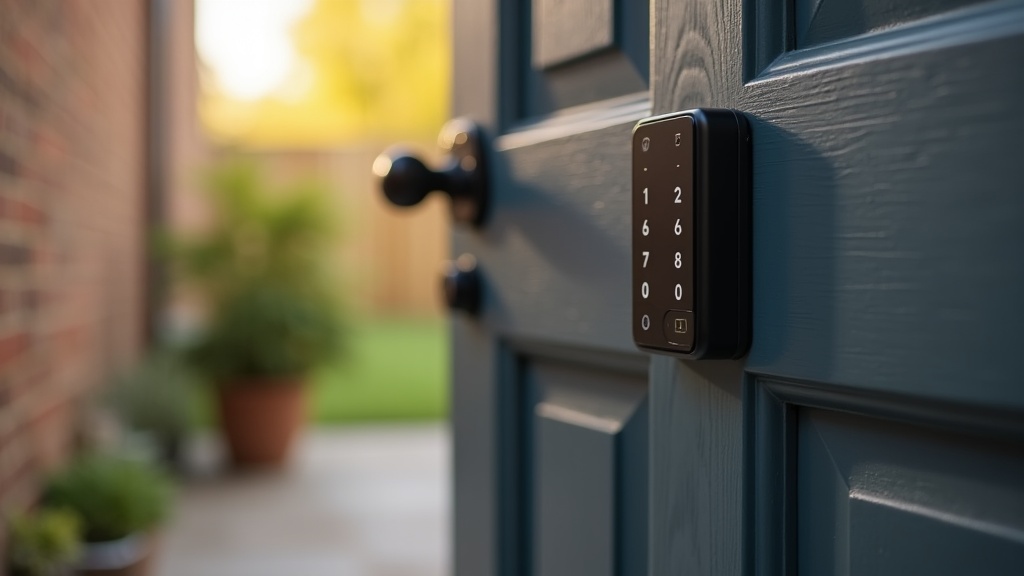
Why Airbnb Self Check-In Reddit Threads Are Useful for New Hosts
If you've been reading Reddit to work out how to set up Airbnb self check-in, you're not alone. Host communities such as r/AirBnB, r/airbnb_hosts and r/AirBnBHosts return to the same question again and again: which self check-in setup is reliable, affordable and unlikely to end in a late-night phone call?
Self check-in is one of the things guests actively look for. Airbnb lists it among the ten amenities guests searched for most often in 2025, alongside wifi, free parking and a kitchen. What forum threads add is the practical side Airbnb's help pages don't cover: not every self check-in setup is equally dependable, and the wrong one can mean lockouts, flat batteries and unhappy guests.
This guide pulls together advice that comes up in those discussions, checks it against Airbnb's own rules, and adds how we handle check-in in our own portfolio. Whether you're setting up your first listing or replacing a setup that keeps causing problems, here's what to consider in 2026.
What Is Airbnb Self Check-In (and Why Hosts Rate It)?
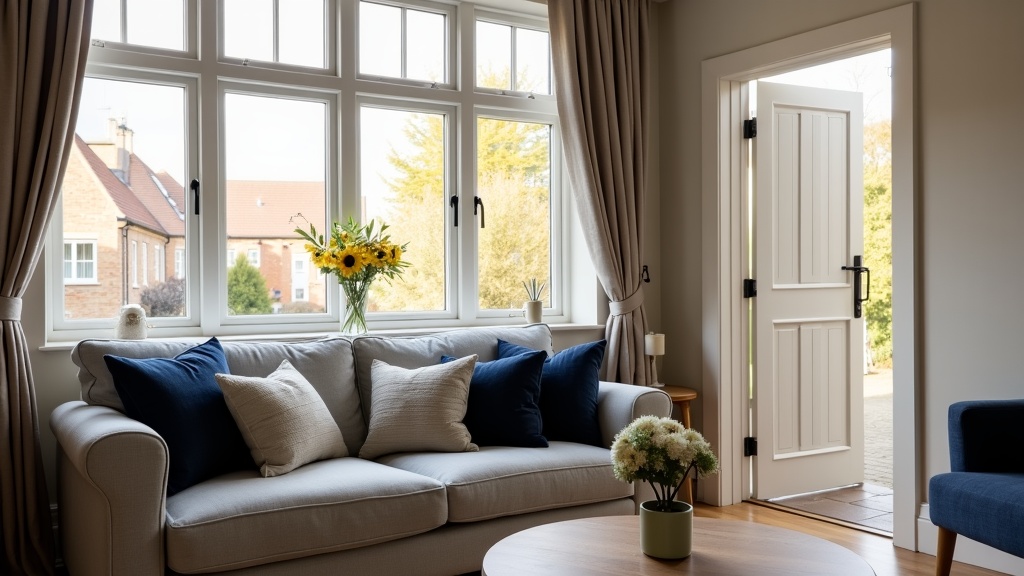
Self check-in means guests can get into your property without meeting you in person. Airbnb recognises four methods: a lockbox holding a key, a smart lock, a keypad, or access through building staff such as a concierge. You add instructions to your listing, and guests let themselves in with a code, an app or a key.
Hosts like it because it removes the coordination headache (no more waiting around for a guest who is running late), suits guests who arrive late or value privacy, and makes it possible to run several properties or host remotely.
The catch, and the reason the forum threads are worth reading: self check-in only works if it is reliable. A smart lock with a flat battery late at night, or a key safe that sticks in the cold, can turn a smooth stay into a bad review.
The 3 Self Check-In Setups Hosts Discuss Most
Three broad options come up again and again for UK properties. Each has trade-offs, and the right one depends on your door, your building and how far you live from the property.
1. Smart Locks That Fit UK Doors (Yale Linus and Conexis, for Example)
Why hosts like them: Yale's smart locks are widely sold in the UK, run on batteries and are designed for common UK door types. The Linus L2 fits on the inside of the door and you can still use a physical key, which suits properties where you'd rather not replace the whole lock. Fit depends on your door and cylinder, so run Yale's compatibility checker before you buy.
The downsides: Check how the model you choose connects. The current Linus L2 has Wi-Fi built in for remote locking and unlocking; without Wi-Fi, a lock can only be managed over Bluetooth while you're nearby. Guest entry codes on the Linus need Yale's separate keypad. Batteries are the obvious weak point, so replace them on a schedule rather than waiting for the low-battery warning.
One thing to know: Airbnb's own built-in smart lock connection, which sends each guest a unique code automatically, is only available for listings in the US and Canada. In the UK you'll need the lock maker's app, or software that connects to the lock, to issue codes.
2. Nuki Smart Locks
Why hosts like them: Nuki offers its own connection to Airbnb through its Nuki Web service. Once your Airbnb account is linked and the lock is assigned to a listing, guests can be sent their own access code automatically, and the access is removed after checkout.
The downsides: It costs more than a mechanical key safe, and like any connected lock it depends on batteries and a working connection. Check whether the model you choose has Wi-Fi built in or needs a separate bridge.
Tip: Nuki recommends setting a security code so guests can't change lock settings, and turning off Bluetooth pairing so a guest can't pair the lock with another phone.
3. Mechanical Key Safes and Lockboxes (the Budget Favourite)
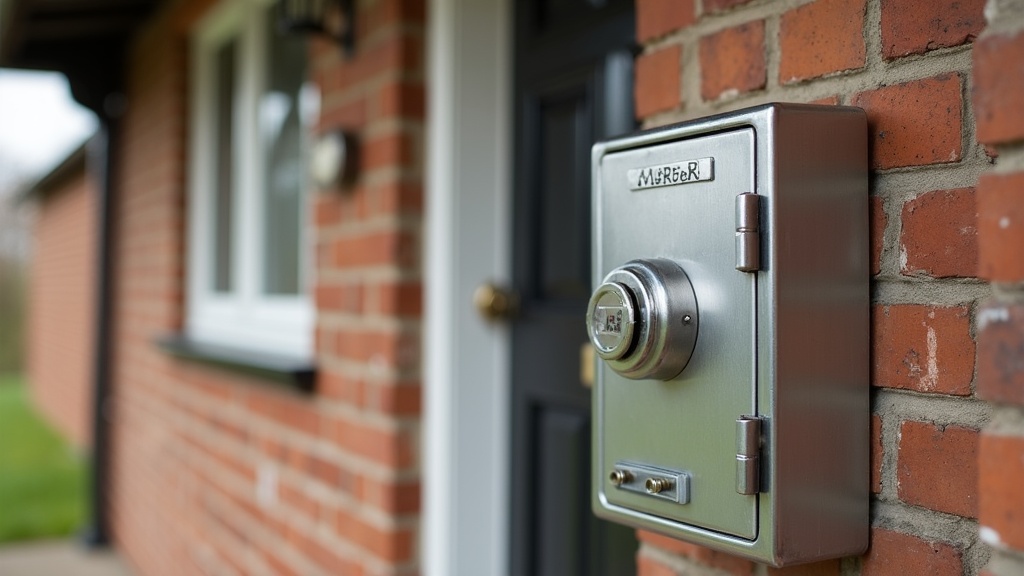
Why hosts like them: They are cheap, need no batteries or Wi-Fi, and keep working when the internet goes down. You mount one by the door, set a code, and guests take out the key themselves.
The downsides: On most mechanical models you have to be at the property to change the code. Some guests see a key safe as less polished than a smart lock. And if your insurer has requirements for key safes, check them before you buy; some insurers ask for an accredited model, such as one approved by Sold Secure.
From our own portfolio: across the roughly 24 Manchester short lets we run, guests check in with lockboxes, and we send them the code on arrival day. It suits our properties and our small team. It is one setup among many: plenty of hosts do just as well with smart locks or keypads, and Zugrow supports hosts with any access method.
Best for: Hosts who live near the property, properties where a smart lock won't fit, and anyone who wants a simple, low-cost option or a backup for a smart lock.
Smart Lock Airbnb Reddit Warnings: What Can Go Wrong (and How to Avoid It)
The horror stories in host forums are useful because the same few problems come up repeatedly. Here are the most common ones and the usual fixes.
Dead Batteries at the Worst Possible Moment
This is a familiar complaint in host discussions. A guest arrives late, the smart lock doesn't respond, and the host has to drive over or find someone with a spare key.
The usual fix: Replace batteries on a schedule and well before they run low, rather than waiting for the warning. Keep a physical backup, such as a spare key in a key safe or with someone nearby you trust.
Wi-Fi Dropouts and Code Problems
If your lock relies on Wi-Fi or a bridge to issue or update guest codes, a router restart or broadband outage at the wrong moment can leave a guest without a working code.
The usual fix: Test your broadband's reliability before relying on a connected lock, check codes are working before each arrival, and keep a non-electronic backup way in.
Confusing Guest Instructions
Even the best lock is useless if guests can't find it or don't understand it. A key safe tucked round the side of a building can be invisible in the dark.
The usual fix: Include a photo of the lock or key safe in your check-in instructions and use short numbered steps. For example: "1. Find the black key safe to the right of the front door (see photo). 2. Enter the code we send you on the day. 3. Take out the key and unlock the door as normal." If you're looking for more communication tips, this guide on Airbnb guest communication covers templates and automation.
Airbnb Keyless Entry Reddit Hosts Say Actually Works in UK Weather
UK weather is hard on outdoor hardware. Cold, damp and salty coastal air can all make locks and key safes misbehave.
What hosts recommend for UK conditions:
- Check the outdoor rating of any lock or keypad that will be exposed to rain, and follow the manufacturer's guidance on where it can be fitted.
- Mount key safes somewhere sheltered, under a porch or overhang, to keep rain and ice off the dial or buttons.
- Choose a brand with UK support and spare parts. With an unbranded budget lock, there may be no one to call when it fails.
If you're setting up a new listing and want to check how it compares overall, Zugrow's free listing score rates your title, description, photos, amenities and trust signals, and flags what's holding the listing back.
The Reddit-Approved Airbnb Self Check-In Setup Checklist
Here's a step-by-step process based on common host advice, checked against Airbnb's own settings:
Step 1: Choose Your Lock Type Based on Property and Budget
- Several properties or remote hosting: a smart lock or keypad you can manage remotely, ideally one that connects to Airbnb or your property software
- Single property, you live nearby: a mechanical key safe or lockbox
- Building with a concierge: access through building staff, if they are available whenever guests arrive
- Rental property where you can't change locks: ask permission first; a retrofit smart lock or a key safe may still need the landlord's agreement
Step 2: Install and Test (at Least a Week Before Your First Booking)
Fitting a lock the day before a guest arrives leaves no time to discover it doesn't suit your door or won't connect. Give yourself time to troubleshoot.
Test it repeatedly over several days: ask someone who has never used it to follow your instructions, try it at night, and check how well the app connects from outside the door.
Step 3: Write Crystal-Clear Check-In Instructions (With Photos)
Include a photo of exactly where the lock or key safe is. Use numbered steps. Assume your guest has never used this kind of lock before, and ask a friend to follow the instructions cold. Airbnb shows guests your check-in method straight away but only shows the detailed check-in instructions 48 hours before check-in.
From our own portfolio: fast replies and clear check-in information on the day are what earn us the most 5-star reviews. Whatever lock you choose, it is worth getting the arrival message right and replying quickly if a guest gets stuck.
Many hosts also create a simple digital welcome guide with check-in details, Wi-Fi passwords and house rules. If you want inspiration, this article on Airbnb welcome book examples from Reddit hosts has templates and examples you can adapt.
Step 4: Set Your Check-In Method in Your Airbnb Listing
This is the step hosts sometimes forget. In your listing editor, open the Arrival guide, select Check-in method, choose lockbox, smart lock, keypad or building staff, add your instructions and save. Add self check-in to your amenities as well, so guests who search for it can find your listing.
Step 5: Set Up a Backup Plan
The rule worth repeating: always have a plan B. Keep a spare key with someone you trust, fit a backup key safe, or make sure you or a co-host can reach the property quickly in an emergency.
If you add a video doorbell to help with arrivals, disclose it in your listing. Airbnb allows doorbell and outdoor cameras when they are disclosed, but bans indoor cameras completely, and cameras must not monitor indoor spaces.
Self Check-In Airbnb Reddit Myths You Should Ignore
Not all forum advice is good advice. Here are three ideas that pop up regularly, and a more balanced view of each.
Myth 1: "Smart Locks Are Too Expensive for New Hosts"
A smart lock costs more upfront than a key safe, but the right comparison is with what it saves you. If you regularly turn down late arrivals because you can't meet guests, or drive over to change key safe codes, a smart lock may pay its way. If you live round the corner and arrivals are predictable, a good key safe may be all you need.
Myth 2: "Key Safes Look Cheap and Hurt Bookings"
Guests mostly care about getting in easily. If your key safe is well placed, clearly explained and the key turns smoothly, most guests won't mind that it isn't a smart lock. If you're targeting business travellers or higher-end stays, a smart lock can add to the impression of a well-run property.
Myth 3: "You Don't Need to Change the Code Between Guests"
With a smart lock or keypad that issues a code per booking, codes are created for each stay and removed afterwards, so there's nothing to change by hand. With a key safe, a code that never changes is known to every past guest, so change it regularly, ideally between stays, and never show it in your listing photos.
How Self Check-In Fits Into Your Broader Listing Optimisation Strategy
Self check-in is one piece of a bigger puzzle. Hosts who book consistently don't just fit a lock; they make their whole listing stand out in search and turn browsers into bookers.
That means a clear title, strong photos in the right order, competitive pricing and the amenities guests actually filter for. Self check-in is one of those amenities, but only if it's set in your Airbnb listing and mentioned in your description.
If you're serious about getting more Airbnb bookings, review your listing regularly. Small changes, such as reordering photos, rewriting your title or adjusting weekend pricing, can make a real difference to visibility and revenue.
Not sure where to start? Zugrow's free listing performance score gives you a 100-point score with a breakdown of what's working and what's not.
Reddit's Final Verdict: Is Airbnb Self Check-In Worth It?
For most hosts, yes. Guests search for it, it removes the need to coordinate arrival times, and it frees you from waiting around for late arrivals.
But it isn't a magic fix. Self check-in only works if it's reliable, clearly explained and backed up by a plan B. A dead smart lock or a key safe nobody can find does more harm than good.
The advice boils down to this: choose a setup that suits your door and your distance from the property, test it thoroughly, write clear instructions with photos, and always have a backup way in. Do that, and self check-in quickly becomes one of the easiest parts of hosting.
If you're looking to improve your hosting beyond self check-in, check out these Airbnb Superhost tips Reddit hosts swear by, covering everything from pricing to guest communication.
Frequently Asked Questions About Airbnb Self Check-In
What is the best smart lock for Airbnb in the UK?
There is no single best lock; it depends on your door and how you want to issue codes. Yale's Linus and Conexis ranges are designed for common UK doors, and Nuki offers its own Airbnb connection through Nuki Web. Airbnb's built-in smart lock connection only works for listings in the US and Canada, so in the UK check how a lock will send codes to guests before you buy.
Do I need Wi-Fi for an Airbnb smart lock?
Not always. Some locks can be managed over Bluetooth when you're nearby. To create or change guest codes remotely, or to connect the lock to Airbnb or other software, you'll usually need Wi-Fi, either built into the lock or through a bridge.
Can I use a key safe instead of a smart lock for Airbnb?
Yes. Lockboxes are one of the self check-in methods Airbnb recognises. A wall-mounted key safe needs no batteries or Wi-Fi and is popular with hosts who manage properties locally. The downsides are that you usually have to visit to change the code, and some guests prefer a smart lock. Check your insurer's requirements for key safes too.
How do I prevent my Airbnb smart lock battery from dying during a booking?
Replace batteries on a schedule rather than waiting for the low-battery warning, and keep a backup way in, such as a spare key in a key safe or with someone you trust nearby.
Will adding self check-in increase my Airbnb bookings?
It can help. Airbnb lists self check-in among the ten amenities guests searched for most often in 2025, so offering it and setting it correctly in your listing means you appear for guests who look for it. It won't make up for weak photos or pricing, though.
Do I still need to set self check-in in my Airbnb settings if I have a smart lock?
Yes. Fitting a lock isn't enough. In your listing editor, open the Arrival guide, choose your Check-in method (smart lock, keypad, lockbox or building staff), add instructions and save, and add self check-in to your amenities.
Ready to Optimise Your Listing for More Bookings?
Self check-in is a practical way to make hosting easier, but it's just one part of a high-performing Airbnb listing. To see how your listing stacks up, from photos and title to amenities and trust signals, get your free Airbnb performance score from Zugrow. You'll get a 100-point score and a breakdown of the issues holding your listing back.
Whether you're just starting out or working towards Superhost status, the right improvements can make a real difference. And if you found this guide helpful, you might also want to explore the full step-by-step guide to starting an Airbnb in the UK, which covers everything from legal requirements to your first booking.
Sources, checked October 2026: Airbnb Help Centre on self check-in, check-in instructions, connecting a smart lock and security cameras; Airbnb's amenities guests want; Nuki vacation rental integrations and Nuki help on connecting Airbnb; Yale Linus L2; Sold Secure.