

A guest spends three seconds on your listing before scrolling to the next one. In those three seconds, they see exactly three things: your first photo, your second photo, and the top of your third. If those images don't answer the question 'Is this space right for me?', they're gone. No amount of charm in your description or competitive pricing will bring them back.
The first three photos in your Airbnb listing are not a gallery. They are a filtering mechanism. Guests are scanning dozens of listings, often on a phone, looking for immediate visual proof that your space matches their mental checklist. Light. Space. Cleanliness. Character. If your hero shot is a close-up of a cushion or your second image is a bathroom sink, you've lost them before they've even registered your nightly rate.
This is the editorial truth of Airbnb first three photos strategy: the sequence matters more than the individual quality of each shot. A stunning bedroom photo in position seven might as well not exist. A poorly lit living room in position one will cost you bookings even if your kitchen is beautiful. The hierarchy is unforgiving, and most hosts get it wrong.
Why the First Three Photos Control Your Click-Through Rate
Your listing appears in search results as a thumbnail carousel. Guests can swipe through your photos without ever opening the full listing. On mobile, the interface shows exactly three images before a user has to make an active decision to keep looking or move on. That's your entire audition window.
The psychological mechanism is simple: guests are pattern-matching, not browsing. They have a mental image of what their ideal stay looks like, shaped by previous trips, Instagram, and the very first listing they clicked on today. Your photos either confirm that pattern or challenge it. Confirmation gets a click. Challenge gets a scroll.
Think of it this way. A couple searching for a weekend in Bath wants to see a comfortable, well-lit living space where they can relax after sightseeing. If your hero image is an exterior shot of the building, your second is a close-up of a coffee machine, and your third is a bathroom, they have no evidence you can deliver what they're looking for. Even if your living room is gorgeous, it's buried at position six. They'll never see it.
This is why Zugrow's free listing score always starts with photo sequencing. The order is the strategy. The individual shots are just the raw material.
The Three-Question Filter Every Guest Is Applying
When a guest looks at your first three photos, they are unconsciously asking three questions in sequence. If any answer is 'no' or 'unclear', they move on.
1. Is There Enough Space for Me?
The hero shot must establish scale and layout. A wide-angle view of the main living area or bedroom tells a guest immediately whether the space can accommodate their group. A close-up, a detail shot, or a narrow hallway view does not answer this question. The guest scrolls.
Common mistake: hosts choose the most aesthetically pleasing photo for position one, even when it's a tight crop or an artsy angle. Aesthetic appeal is secondary to spatial clarity. Save the moody detail shots for later in the gallery.
2. Is It Bright and Inviting?
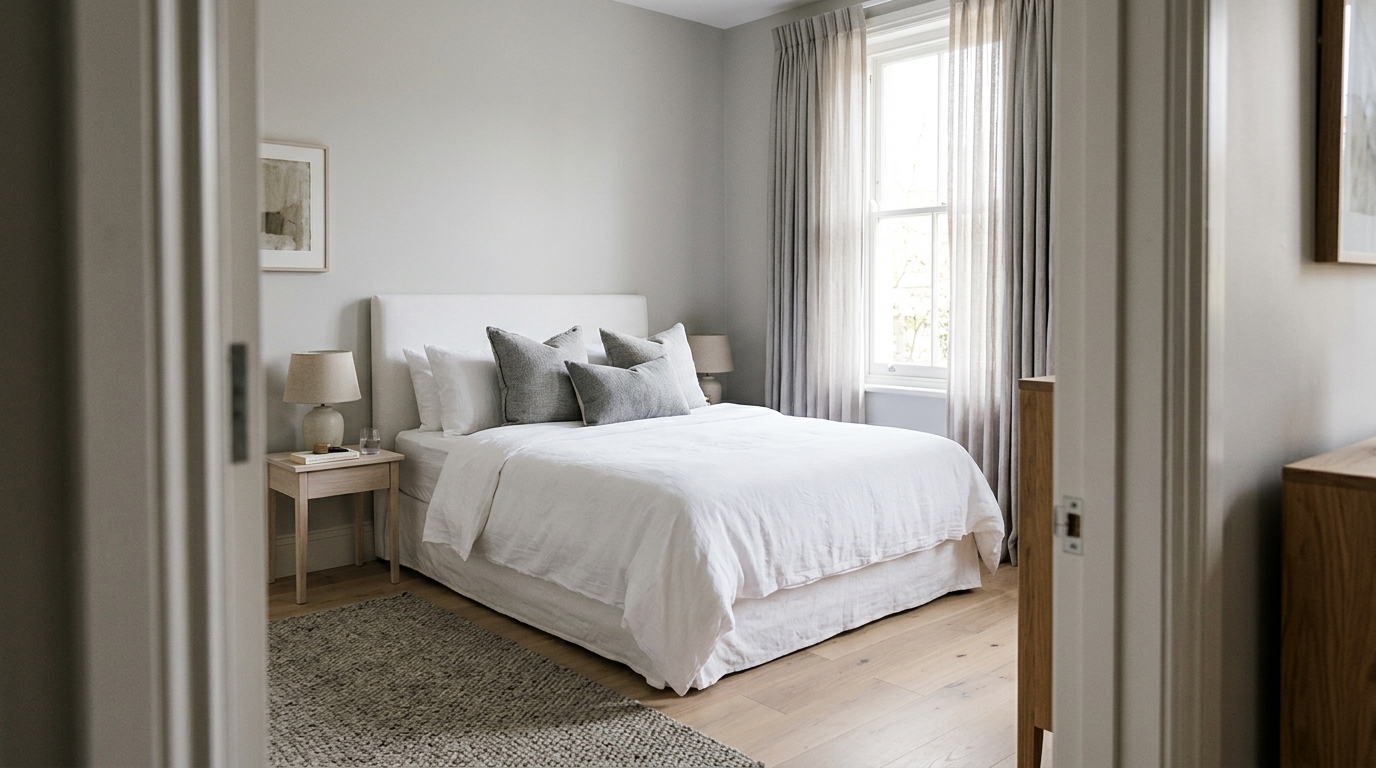
The second photo should confirm that the space has good natural light and feels welcoming. A sunlit bedroom, a kitchen with windows, or a living room with daylight streaming in all work. A dark bathroom, a hallway, or an exterior night shot all fail this test.
Guests equate brightness with cleanliness and quality. Even if your space is spotless, dim or poorly lit photos trigger doubt. If your second image is darker than your first, you've introduced a red flag.
3. Is It Clean and Well-Maintained?
The third photo is where guests look for proof of care. A neatly made bed, a clutter-free kitchen counter, or a tidy bathroom vanity all signal that you run a professional operation. A photo with visible mess, worn furniture, or poor styling raises concerns.
This is also where Airbnb cover photo tips often go wrong. Hosts assume the first photo is the only one that matters and let the second and third positions be random. But by photo three, the guest is either convinced or sceptical. There's no middle ground.
What Top-Performing Listings Do Differently
High click-through listings follow a predictable formula. They understand that the first three photos are a narrative, not a collection. Here's the hierarchy that works:
Photo 1: The 'Wow, That's the Space' Hero Shot
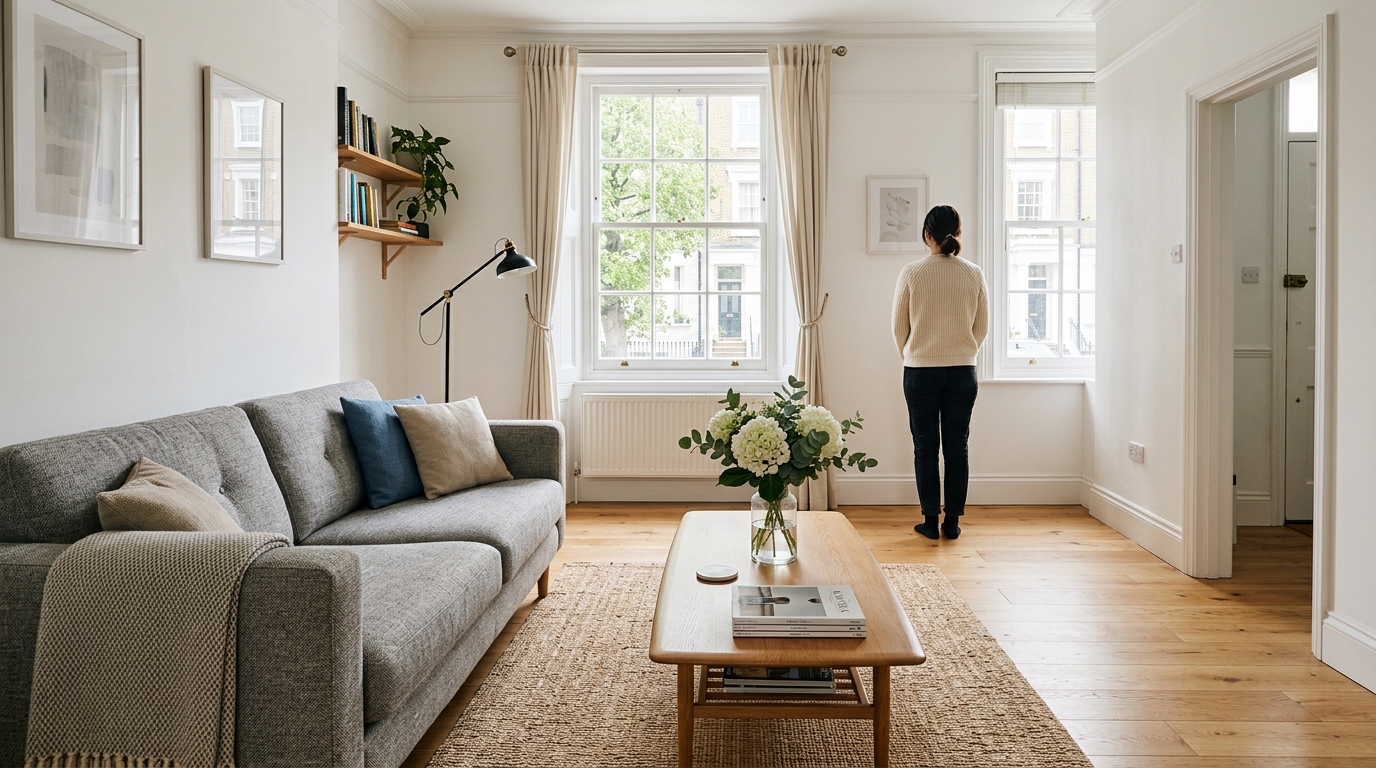
This is always the widest, brightest, most flattering view of your main living area or bedroom. It should be taken from a corner or doorway to maximise depth and show as much of the room as possible. The goal is to make the guest think, 'I can picture myself there.'
For a one-bedroom flat, this is almost always the living room or open-plan kitchen-lounge. For a studio, it's the main sleeping and living area in one shot. For a larger property, it's whichever room best represents the character and scale of the space.
What to avoid: close-ups, detail shots, exterior-only images, or any photo that doesn't immediately communicate 'this is what you're renting.'
Photo 2: The 'Yes, It's Really That Nice' Confirmation Shot
The second image should reinforce the first. If your hero is the living room, photo two might be the bedroom or kitchen, again shot wide and bright. The goal is to remove doubt. The guest is thinking, 'That first photo was good, but is the rest of the flat up to the same standard?'
This is not the place for a bathroom, a hallway, or an amenity close-up. Those are supporting details. Photo two is still part of the core pitch. It should feel as impressive as photo one, just showing a different angle or room.
Photo 3: The 'I Can Trust This Host' Reassurance Shot
By the third photo, the guest is either convinced or on the fence. This is where you show proof of care and attention. A beautifully made bed with plump pillows. A spotless kitchen counter with a tasteful welcome detail. A well-lit bathroom with fresh towels folded on the vanity.
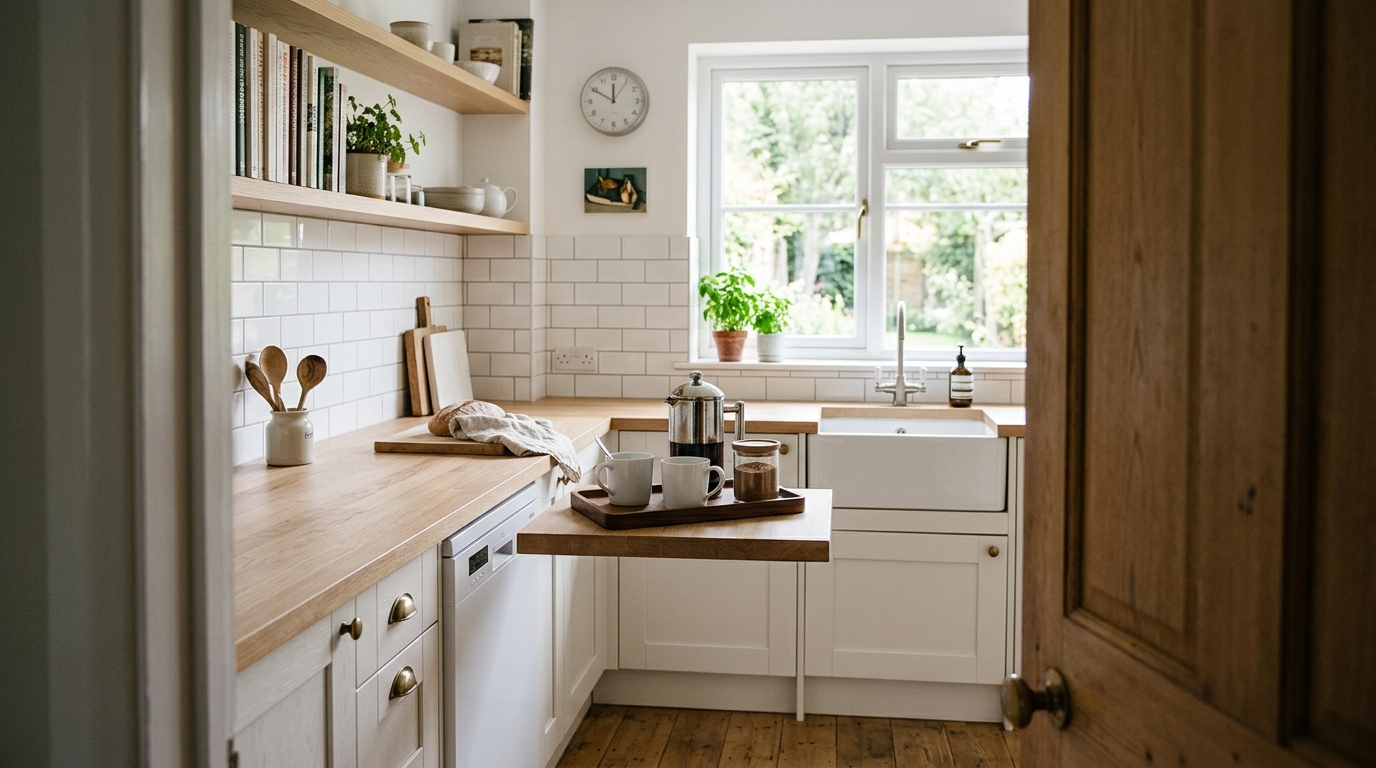
The key is that this photo should feel intentional. It's not just another room, it's evidence that you care about presentation. Guests notice styling at this point. A vase of flowers, a neatly arranged coffee station, or a luxurious shower fitting all work. A cluttered desk or a plain white wall does not.
If you're not sure whether your current sequence is working, Zugrow analyses your photo order and suggests exactly where each shot should go to maximise click-through.
Common Airbnb Photo Sequence Mistakes That Kill Bookings
Even experienced hosts make predictable errors with their Airbnb listing photo sequence. Here are the patterns that quietly cost you bookings:
Leading with an Exterior or Building Shot
Unless you have a genuinely stunning property (a Georgian townhouse, a thatched cottage, a clifftop villa), your building's exterior does not belong in position one. Guests care about the inside of the space first. The exterior can go later in the gallery, after you've won them over with the interiors.
Exception: if you have private outdoor space (a garden, a balcony, a terrace) and it's a major selling point, that can work as a hero shot. But only if it's visibly part of the rental, not a shared building facade.
Burying Your Best Room
Your most impressive space should be photo one or two. If your bedroom is larger and brighter than your living room, lead with the bedroom. If your kitchen is the hero feature (farmhouse style, brand-new appliances, an island), put it second. Don't save your strongest asset for position five because you think you need to 'build up' to it. Guests won't get that far.
Using Close-Ups or Detail Shots Too Early
A close-up of a coffee machine, a shelf of books, or a decorative light fixture might look great on Instagram. In your first three photos, it's a wasted slot. Guests need to understand the space before they care about the details. Save close-ups for positions six onwards, after you've established the big picture.
Including Dark or Poorly Lit Photos
If any of your first three photos are visibly darker than the others, the guest will assume the space has a lighting problem. Even if it's just one poorly lit bathroom shot at position three, it's enough to trigger doubt. Keep the first three images bright, ideally all shot during the day with natural light.
For more on how to sequence your photos to outperform local competitors, read Why Your Competitor's Photos Beat Yours: The Sequencing Mistake.
How to Audit Your Current First Three Photos
Open your listing on a mobile device (this is how most guests will see it). Swipe through the first three photos and ask yourself these questions:
- Do all three photos show well-lit, spacious views of the main living areas? If not, you're losing clicks.
- Does the sequence tell a coherent story about the space? Living room, bedroom, kitchen is coherent. Living room, building exterior, bathroom close-up is not.
- Would you book this listing based only on these three images? If the answer is 'maybe' or 'I'd need to see more', the sequence is wrong.
If you don't have the right photos yet, you don't need to hire a professional. A modern smartphone and good natural light are enough. Shoot wide, shoot bright, and shoot from a corner or doorway to maximise depth. For editing tips and tools, see Best Airbnb Photo Editing Tools for UK Hosts.
The Role of the Hero Shot in Airbnb's Algorithm
Airbnb's search ranking algorithm pays close attention to click-through rate. If your listing appears in search results but guests don't click, Airbnb interprets that as a signal that your listing is less relevant or appealing. Over time, your ranking drops, and you appear lower in search results, even if your reviews and pricing are competitive.
The hero shot (your first photo) is the single biggest driver of click-through rate. It's the thumbnail image that appears in search grids, map views, and competitor carousels. If it's weak, your listing becomes invisible, no matter how good the rest of your photos are.
This is why Airbnb cover photo tips should focus on strategic intent, not just aesthetics. The goal is not to win a photography award. The goal is to make a guest stop scrolling and click. That means prioritising clarity, brightness, and spatial context over artistic composition.
Not sure if your hero shot is strong enough? Zugrow's free performance score includes a photo analysis that benchmarks your cover image against local competitors and tells you exactly what to change.
How to Choose Between Competing Hero Shots
If you have multiple strong photos and you're not sure which should be first, apply this decision tree:
- Which photo shows the most space? A wide-angle living room beats a tighter bedroom shot.
- Which photo has the best natural light? Brightness wins over composition.
- Which photo best represents the property's character? A period fireplace, a modern open-plan layout, or a cosy reading nook should all guide the choice.
- Which photo would make you want to stay there? Trust your gut, but only after checking the first three criteria.
Still stuck? Test it. Swap your first and second photos and monitor your click-through rate in Airbnb's performance dashboard over a two-week period. If clicks drop, swap them back. If they improve, you've found your answer.
What to Do If You Don't Have Three Strong Photos
If your current gallery doesn't have three photos that meet the criteria above, the fix is straightforward: reshoot. You don't need professional equipment. You need good light, a tidy space, and a wide-angle lens (or a smartphone with a wide-angle mode).
Shoot during the day when natural light is strongest. Tidy every surface. Open curtains and blinds. Stand in the corner of each room and shoot towards the opposite corner to maximise depth. Take multiple shots of each room from different angles, then choose the brightest and widest.
For step-by-step guidance on which rooms to photograph and in what order, read Airbnb Photo Sequencing: Which Room Order Converts Best?.
The First Three Photos Are a Promise
Every booking starts with trust. A guest is handing over money for a space they've never seen, relying entirely on your photos and description. The first three images are where that trust is either built or broken. If those photos promise a bright, spacious, well-kept home, the guest clicks through and starts imagining their stay. If the photos are unclear, dark, or poorly sequenced, the guest assumes the listing is unreliable and moves on.
This is not about manipulation or misleading presentation. It's about clarity. Your listing should look in photos exactly as it does in real life, just framed in a way that communicates its strengths immediately. The first three photos are your chance to show those strengths before a guest loses interest.
If you'd like an expert eye on your current photo sequence and specific suggestions tailored to your listing, Zugrow's free listing score will tell you exactly what's working and what's not. No guesswork, just a clear action plan.
Frequently Asked Questions
What should the first photo of my Airbnb listing be?
The first photo should be a wide, bright shot of your main living space or bedroom, taken from a corner or doorway to show as much of the room as possible. It should immediately communicate the scale, layout, and character of the property. Avoid close-ups, exteriors, or narrow angles for the hero shot.
How do I know if my Airbnb photo sequence is hurting my bookings?
Check your listing's click-through rate in Airbnb's performance dashboard. If your impressions are high but clicks are low, your photos (especially the first three) are the likely cause. A low click-through rate also signals to Airbnb's algorithm that your listing is less appealing, which can hurt your search ranking over time.
Can I use an exterior photo as my Airbnb hero shot?
Only if the exterior is genuinely striking (a period cottage, a villa with a view, a property with a private garden) and the outdoor space is part of the rental. For most flats and standard homes, an interior shot of the main living area will perform better because guests prioritise the inside of the space first.
Should I hire a professional photographer for my first three Airbnb photos?
Not necessarily. A professional can help if you're struggling with composition or lighting, but a modern smartphone and good natural light are often enough. The sequence and clarity matter more than expensive equipment. Focus on wide-angle shots, bright daylight, and a tidy space before you invest in a photographer.
How often should I update my Airbnb listing photos?
Update photos whenever you make a significant change to the space (new furniture, a fresh coat of paint, upgraded appliances) or if your current photos are more than two years old. Airbnb favours fresh content, and guests can often tell when photos are outdated. Seasonal updates (spring flowers, autumn light) can also help your listing feel current.
What's the biggest mistake hosts make with Airbnb photo sequencing?
The most common mistake is treating the photo gallery as a random collection rather than a strategic sequence. Hosts often bury their best shots later in the gallery or waste the first three positions on close-ups, exteriors, or poorly lit rooms. The first three photos should always be your strongest, brightest, and widest shots of the main living spaces.
Final Thoughts
Your first three photos are not decorative. They are a filtering system that decides whether a guest clicks through or scrolls past. The hierarchy is clear: space first, light second, care third. Get those three images right, and the rest of your gallery has a chance to do its work. Get them wrong, and nothing else matters.
If you'd like a full breakdown of how your listing compares to local competitors, including photo sequencing, pricing strategy, and title optimisation, Zugrow's autonomous hosting platform gives you the tools to compete without hiring a management company. Start with the free score and see exactly where your listing stands.