


You're answering the same guest questions at 11pm on a Tuesday. Again. Meanwhile, the host down the road has automated their pre-arrival messages, replies within minutes, and still gets reviews praising how attentive they are. The difference isn't how much time they spend messaging. It's how well they've automated it.
Automating Airbnb guest communication doesn't mean becoming robotic or impersonal. Done right, guests get faster, more consistent answers while you get hours back every week. This guide covers the tools worth considering for automating your messaging in 2026, what they actually do, and which hosts each one suits.
Why Automating Airbnb Guest Communication Matters More Than Ever
Airbnb measures how you communicate. Your response rate is the share of new enquiries and reservation requests you respond to within 24 hours, and your response time is the average time you take to reply. In its explanation of how search results work, Airbnb counts host and guest communication as part of listing quality, and for listings that can't be booked instantly it looks at how quickly hosts respond to enquiries. If you're typing out check-in instructions at 6am because a guest landed early, you're not just tired. You're also slower than you need to be.
Here's what many hosts miss: automation isn't about replacing your personality. It's about systematising the predictable messages (booking confirmations, check-in details, WiFi codes, checkout reminders) so you can spend your energy on the ones that need a human touch (special requests, problem-solving, building rapport).
Hosts who resist automation often say they want to keep things personal. Yet the rushed, generic messages sent at odd hours by an overwhelmed host are often the least personal of all. Zugrow's free listing score gives you a quick read on your listing before you decide where to spend your time.
What Can Actually Be Automated in Airbnb Guest Messaging?
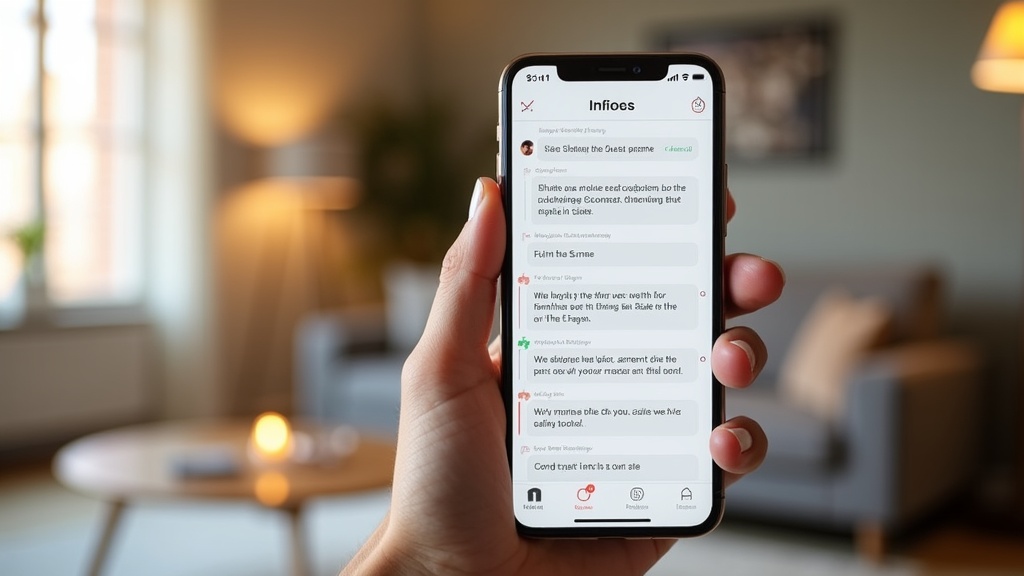
Almost everything except genuine relationship-building and complex problem-solving. Today's guest communication tools can handle booking confirmations, pre-arrival instructions, check-in codes, mid-stay check-ins, checkout reminders, review reminders and, increasingly, answers to common questions drafted by AI.
Here's what works well when automated:
- Booking confirmations: an instant "we're looking forward to hosting you" message with house rules and what to expect
- Pre-arrival messages: timed messages a week out (local recommendations), two days out (arrival logistics) and on the day (access details and parking)
- Check-in instructions: sent on arrival day with photos, codes and troubleshooting tips
- Mid-stay check-ins: a short "how's everything going?" message on day two of longer stays
- Checkout reminders: a morning-of message with simple checkout steps
- Review reminders: a thank you after the stay with a gentle reminder that reviews help
- Answers to common questions: AI tools that recognise questions about WiFi, parking or local restaurants and draft or send a reply
What should stay manual? Responses to complaints, special requests, booking changes, and those personal touches when a guest mentions they're celebrating something. For templates to adapt for your automated messages, see our guest communication templates guide.
The Best Airbnb Guest Communication Tools for UK Hosts in 2026
Here are the options worth your time, from free to fully featured, with what each one suits. Prices and features were checked on each company's own website in October 2026; they change often, so confirm before you sign up.
Transparency: Zugrow publishes this blog, and Zugrow is one of the tools below. We've kept the descriptions factual and said where another tool is the better fit.
1. Airbnb's Scheduled Quick Replies. Best Free Starting Point
What it does: Airbnb's built-in quick replies are saved messages you can personalise with details from your listing and the guest's reservation. They aren't scheduled by default, but you can schedule them to send before or after a new reservation, check-in or checkout.
Perfect for: Hosts who only list on Airbnb and want to automate the basics without paying for anything.
Key features: Messages send in the listing's time zone, apply to current and upcoming reservations, and can be skipped, edited or sent early for an individual guest. A setting controls whether some messages still send for last-minute bookings and short stays.
Pricing: Free.
The catch: It only covers Airbnb, there's no AI drafting of replies, and quick replies aren't shared between hosts and co-hosts.
2. Zugrow. Best for Airbnb and Booking.com Hosts Who Want AI Replies With Control
What it does: Zugrow combines a unified inbox and calendar for Airbnb and Booking.com with an AI Agent Hub. Its Inbox agent replies to guests in your voice. Each agent can be Off, in Suggest mode (it drafts, you approve) or in Auto mode (it replies within the rules you set).
Perfect for: Hosts on Airbnb and Booking.com who want AI help with replies but want to decide how much it does on its own.
Key features: One inbox for both channels, channel connections at no extra cost, 0% booking commission, and a further agent for guest vetting on paid plans.
Pricing: Solo is free for one property, with the Inbox agent in Suggest mode (up to 10 suggestions a day, 100 a month). Pro is £16.60 per property per month billed annually (£19.95 monthly) and Max is £19.95 per property per month billed annually (£24.95 monthly); both include every agent and Auto modes. See current pricing.
The catch: Airbnb and Booking.com only (Vrbo isn't available yet), and new hosts join a waitlist and are onboarded in waves.
3. Hostaway. Best for Hosts Scaling Across Many Channels
What it does: Hostaway is a full property management system and channel manager. Its website lists a unified inbox for channels, messages and reviews, automated messages, and AI Replies, which drafts responses to common guest questions and can send them on your behalf.
Perfect for: Hosts and managers running a growing portfolio across several booking sites.
Key features: Channel partners shown on its site include Airbnb, Vrbo, Booking.com, Expedia and Google Vacation Rentals, alongside WhatsApp, SMS and email messaging and a guest portal.
Pricing: Not published; you request a quote or book a demo.
The catch: It's a full management platform, so it's more than most single-property hosts need.
4. Enso Connect. Best for Guest Experience, Upsells and Verification
What it does: Enso Connect focuses on the guest journey. Its pricing page lists a unified inbox with Autopilot and Copilot modes, an AI agent with a knowledge base, guest verification and screening, automated upsells and digital guidebooks.
Perfect for: Hosts with higher-end properties who want to automate communication while adding paid extras such as early check-in or welcome packs.
Key features: Upsells, experiences and transport offers inside the guest journey, with optional add-ons such as smart lock integration and background checks.
Pricing: Custom quote, billed monthly, quarterly or yearly; upsell commissions are charged separately from the subscription.
The catch: No published prices, and the upsell features earn most where there are local services to offer. For more on guest screening, see our guide on legal requirements for guest screening in the UK.
5. Guesty Lite. Best for 1 to 3 Listings on Several Channels
What it does: Guesty Lite is Guesty's product for hosts with one to three listings (the old YourPorter website now redirects to it). It offers automated messages, AI-powered replies tailored to your style, a single inbox with ready-made templates, and connections to Airbnb, Vrbo and Booking.com.
Perfect for: Small hosts who want a lightweight management tool and need Vrbo as well as Airbnb and Booking.com.
Pricing: Per listing, in US dollars: from $20 a month on annual billing or $29 a month on monthly billing, with a pay-as-you-grow option from $9 a month plus 1% per reservation shown as a limited-time offer. There's a 14-day free trial.
The catch: Prices are in dollars, and it's designed for up to three listings.
How to Choose the Right Tool for Automating Airbnb Guest Communication
Start with your current pain point, not the flashiest tool. If you're forgetting to send check-in codes, scheduled messages solve it. If you're spending hours answering the same questions, AI-drafted replies help. If you're juggling two or three booking sites, you need a unified inbox.
Here's a simple way to decide:
One property, Airbnb only, limited budget: start with Airbnb's scheduled quick replies. They're free and cover the routine messages. Pair them with our guide to affordable automation tools for a complete low-cost setup.
Airbnb and Booking.com, and you want AI help with replies: Zugrow, starting on the free Solo plan for one property.
One to three listings that also need Vrbo: Guesty Lite.
A growing portfolio across many channels: Hostaway.
Premium properties where guest experience and extras matter most: Enso Connect.
One crucial point: automation tools handle communication, but they can't fix a weak listing. If your photos, pricing or description aren't turning browsers into bookers, automated messaging just means you're efficiently replying to fewer enquiries. Get your free listing score from Zugrow to check the fundamentals before investing in communication automation.
Setting Up Your Automated Airbnb Guest Communication (The Right Way)

Many hosts switch on a tool, set up a basic welcome message and wonder why nothing changes. The difference between automation that feels robotic and automation guests praise is in the setup.
Map Your Guest Journey First
Before writing a single automated message, list every touchpoint from booking to checkout. A typical journey includes:
- Booking confirmation (immediate)
- Welcome message with house rules and what to expect (within a couple of hours)
- Pre-arrival message with local tips (7 days before)
- Logistics message with parking and access details (2 days before)
- Check-in message with codes and photos (on arrival day)
- Mid-stay check-in (morning of day 2, for longer stays)
- Checkout reminder (morning of checkout day)
- Thank you and review reminder (after checkout)
Each of these works best as a separate message. A single "here's everything" message on booking day overwhelms guests, and they end up asking for the WiFi password that was buried in paragraph seven.
Write Like a Human, Automate Like a Robot
The giveaway of lazy automation is a message that reads like terms and conditions. Use the guest's name, mention specific property features, write conversationally, keep paragraphs short and let some personality through.
Compare these two automated check-in messages:
Robotic version: "Your check-in time is 3pm. The key code is 1234. WiFi password is GuestWiFi2024. Checkout is 10am."
Human version: "Hi Sarah! You can check in any time after 3pm today. The front door code is 1234, and I've attached a photo of the keypad so you know exactly what you're looking for. The WiFi password is GuestWiFi2024, and I've left some welcome bits in the kitchen. Shout if you need anything!"
Both contain the same information, but only one sounds like a person wrote it. Inserting details such as the guest's first name, the property name and the check-in time makes automation feel personal when you use them naturally.
Test Your Timing
Sending check-in instructions at 3am because your automation fires "24 hours before arrival" is technically correct and practically useless. Schedule messages to arrive when guests can act on them: access details on arrival day, restaurant ideas the evening before, checkout reminders at a sensible hour in the morning.
Most tools let you choose a time of day as well as a trigger. Use it.
From our own portfolio: we run about 24 short lets in Manchester and have been hosting since November 2023. Our guests check in with lockboxes, and we send the code on arrival day. In our experience, fast replies and clear check-in information on the day earn us more 5-star reviews than anything else. That's how we do it, one example among many, and Zugrow supports hosts with any check-in setup.
Monitor and Iterate
Review your automated messages monthly for the first few months, then quarterly. Notice which messages lead to follow-up questions (that message needs clarifying), which get replies like "this was so helpful!" (do more of that), and which seem to be ignored (wrong timing or irrelevant content).
The Mistakes Hosts Make When Automating Guest Communication
Bad automation can hurt reviews. Here are the avoidable mistakes:
Over-automating: Guests don't need a message every day of their stay. Stick to the journey map above; six to eight messages is plenty for a typical booking, and fewer for short stays.
Checking every site separately: If you list on more than one site, automating messages while still checking each inbox separately defeats the purpose. A unified inbox is half the value of a paid tool.
Not teaching the AI your property: AI reply tools are only as good as the details you give them. A generic "parking is available nearby" doesn't help a guest who needs to know about permit-only streets in your exact postcode.
Not planning for failures: What happens when a smart lock battery dies and the guest can't get in at 10pm? Your automated messages should say how to reach you urgently, and someone needs to be reachable. Automation isn't an excuse to disappear.
Set-it-and-forget-it: That brilliant Italian restaurant in your 2022 recommendations may have closed. Automated messages need regular updates, just like your listing description. Review them at least quarterly.
Some conversations should never be automated. In our own portfolio, we deal with guest damage once or twice a week, and those conversations always deserve a personal reply. Our guide on what to do when a guest damages your property covers the manual communication you can't automate but need to get right.
Should You Automate Airbnb Guest Communication or Hire a Manager?
This is where many hosts get stuck. Automation tools cost a monthly fee and take over the routine messages. A full-service management company usually charges a percentage of your booking revenue and takes over much more. Which suits you?
If your main pain point is repetitive messaging and you're happy handling pricing, cleaners and maintenance yourself, automation is usually far better value, because you pay a fixed software fee rather than a share of every booking.
If you're struggling with every part of hosting (pricing, cleaners, maintenance, guest communication, reviews), full-service management may make sense despite the cost. Just be clear about what you're paying for, and ask which tools the company uses behind the scenes.
The middle ground: automate communication and get help with revenue strategy. Zugrow combines both in one platform (new hosts join a waitlist and are onboarded in waves): a channel manager for Airbnb and Booking.com with a unified inbox and calendar, AI agents for guest messaging and guest vetting that you can keep Off, in Suggest or on Auto, plus listing reports, free listing scores and AI photo enhancement. You pay a flat fee per property with 0% booking commission, rather than a percentage of your revenue.
Our full breakdown of Airbnb management vs optimisation walks through this trade-off in detail.
How Much Time Does Automating Airbnb Messaging Actually Save?
It depends on how many bookings you take and how many questions your listing and guidebook already answer, so the honest answer is to measure it yourself.
For one typical week, note every message you send and roughly how long it takes. Then sort them into two piles:
Could be automated: booking confirmations, check-in instructions, repeat questions such as the WiFi password or parking, checkout reminders and review reminders.
Needs you: special requests, problems during the stay, booking changes and anything sensitive.
The first pile is roughly the time automation can give back, and it grows with every extra booking and property. If you manage several properties, the saving compounds quickly.
Where Guest Communication Automation Is Heading
The biggest shift is AI that drafts or sends replies to guests' actual questions, not just scheduled templates. Every paid tool in this guide now offers some form of it: Hostaway's AI Replies, Enso Connect's Autopilot and Copilot modes, Guesty Lite's AI-powered replies and Zugrow's Inbox agent.
The important question is control. Look for a tool that lets you start with AI drafts you approve, then hand over more as you build trust, with clear limits on what it can do without you. The goal is automation that feels less automated while still knowing when to hand a conversation to you.
Frequently Asked Questions About Automating Airbnb Guest Communication
Does automating guest messages hurt my review scores?
Not if it's done well. Guests don't mind whether your check-in instructions were automated; they care that they were clear, timely and helpful. The key is writing messages that sound human, inserting personal details naturally and replying yourself when something needs a person.
Can Airbnb detect automated messages and penalise me?
Airbnb builds scheduled messages into its own messaging tools, so sending automated messages isn't a problem in itself. What Airbnb measures is your response rate (responses to new enquiries and reservation requests within 24 hours) and your response time. Make sure automated messages are genuinely useful, and that someone answers whatever automation can't.
What happens if a guest asks a question my automated system can't answer?
Scheduled messages don't answer questions at all, so guest replies land in your inbox for you to deal with. AI tools with a suggest or copilot mode put a draft in front of you to approve or edit, and tools on full auto should hand over anything they can't answer confidently. Either way you're still in the loop; you're just not typing the same WiFi password for the 47th time this month.
How long does it take to set up guest communication automation?
Allow a few hours to do it properly: writing your messages, setting triggers and timing, adding property details and testing the sequence on a real booking. Full management platforms take longer because you're also setting up channels and calendars. The time comes back quickly once routine messages stop landing on your plate.
Do I need different automation for short stays vs long stays?
Yes. A two-night guest doesn't need a mid-stay check-in, while a 14-night guest probably needs more touchpoints. A common approach: short stays get a booking confirmation, check-in instructions, a checkout reminder and a thank you; longer stays add a day-two check-in and perhaps a weekly supplies check. Airbnb's scheduled quick replies also have a setting for whether certain messages still send for last-minute bookings and short stays.
Can I use automation if I only have one property?
Absolutely. Airbnb's scheduled quick replies are free, and Zugrow's Solo plan is free for one property on Airbnb and Booking.com, with the Inbox agent drafting replies for you to approve. Paid tools such as Guesty Lite are aimed at hosts with one to three listings too. Automation isn't just for large operators.
Ready to Optimise Your Airbnb Hosting Beyond Just Messaging?
Automated guest communication solves the time problem. But if your listing isn't turning browsers into bookers, you're just efficiently replying to fewer enquiries than you should be getting.
The hosts who get the most from Airbnb combine smart automation (to save time) with a well-optimised listing (to win bookings and better nightly rates). That means getting your photos, title, description, pricing and amenities right: the things that decide whether guests click Book in the first place.
Get your free Airbnb listing score from Zugrow to see where your listing stands. You'll get a score out of 100 with a breakdown of your title, description, photos, amenities, trust signals and competitive positioning, plus the specific issues to fix. It's free, with no card and no account needed.
Automation handles the repetitive tasks. Optimisation drives the revenue. Get both right, and you'll wonder why you spent years doing it the hard way.
Sources, checked October 2026: Airbnb Help Centre on quick replies and scheduled messages, response rate and response time and how search results work; Hostaway; Enso Connect pricing; Guesty Lite; Zugrow pricing and AI Agent Hub.