

When your Airbnb calendar looks emptier than you'd like, waiting weeks for gradual improvements is frustrating. The good news is that many effective airbnb optimisation quick wins can be done within 24 hours. Some show up the moment you save them (a clearer title, a stronger first photo, a corrected amenity list); others, such as where you appear in search, take longer to judge. Whether you're a new host chasing your first bookings or an experienced operator filling last-minute gaps, this checklist covers the changes worth making today.
Why do quick Airbnb optimisation wins matter so much?
Quick wins matter because several of the things Airbnb says it weighs in search are under your control today. In its own explanation of how search results work, Airbnb lists listing quality (including photos, reviews and communication), popularity with guests, price compared with similar listings nearby, calendar availability and Instant Book among the factors. You can't change your location, but you can change how many of the guests who see your listing go on to click and book.
No one can honestly promise a set percentage lift from a single change. What you can do is make the changes, then watch your own numbers in Airbnb's Insights section, which shows how many people viewed your listing and how many went on to book.
Quick wins also build momentum. Once the basics are right, it's easier to judge whether bigger projects, such as new furniture or a full photo reshoot, are worth the money.
What are the fastest title optimisations that improve bookings today?
The fastest title optimisations add specific location details, a standout amenity and a clear sense of the property, so the right guests recognise your place at a glance. Airbnb's title guidelines suggest putting the most important information first, using fewer than 50 characters, avoiding symbols and emojis, and not repeating details Airbnb already shows, such as your town and number of beds.
Start by reviewing your current title against these quick fixes:
- Add precise location details: Instead of "Central London flat", try "Covent Garden flat, 2 min walk to the Tube". Guests search for neighbourhoods and landmarks, not vague areas.
- Highlight transport or landmarks: "5 min walk to Piccadilly station" or "10 min walk to Edinburgh Castle" helps business travellers and tourists planning their days.
- Be clear about the property type: "Victorian terrace with garden" sets clearer expectations than "Beautiful home".
- Feature a top amenity: "Garden, free parking and fast WiFi" can set you apart from dozens of similar listings.
Compare "Lovely 2-bed house near city" with "Victorian house with parking, 10 min to Deansgate". The second tells a guest three useful things before they even click, and it stays under 50 characters.
For detailed guidance on writing titles that turn browsers into bookers, our comprehensive Airbnb title writing guide has formulas and examples from UK listings.
Which amenities can you add or highlight within hours?
The quickest amenity wins are things you already provide but haven't ticked, plus a few low-cost items that cover common guest needs: connectivity, comfort and convenience.
Here's your 24-hour amenities action plan:
Zero cost: tick what you already have
- Self check-in: If guests let themselves in with a lockbox, smart lock or keypad, make sure self check-in is selected and the method is described. Guests arriving late or at odd hours look for it.
- Dedicated workspace: A table and chair with good light and a socket nearby is what many business travellers need. If you have one, select it in your amenities and photograph it.
- Early bag drop: If guests can leave luggage before check-in or after checkout, say so. Day-trippers value the flexibility.
Quick purchases under £30
- Coffee maker: A cafetière costs very little, and coffee is one of the first things guests look for in a kitchen. Once you have one, make sure it's in your amenity list and say what type it is.
- Hair dryer: A basic model heads off a common question and signals attention to detail.
- Iron and ironing board: Business travellers and wedding guests look for these, and compact versions are inexpensive.
Quick-delivery upgrades
- Streaming on the TV: If your TV is basic, a streaming stick gives guests the apps they expect. Remind guests to log out of their own accounts before they leave.
- Cooling for hot spells: For UK properties without built-in cooling, good fans or a portable air conditioner (the pricier option) can make the difference in summer. Only list air conditioning if the unit is actually there.
- Extra bedding sets: Spares make changeovers less stressful and mean a stained sheet never leaves a bed unmade.
Photograph any new amenities and add them to your listing: guests want visual confirmation that they exist.
How can you optimise pricing for immediate booking boosts?
Pricing changes can trigger booking activity quickly. Price is one of the factors Airbnb compares with similar listings nearby when it ranks search results, and it's the one you can change in seconds.
The fastest pricing wins usually involve:
Airbnb's discount settings
- Last-minute discounts: Airbnb lets you reduce your nightly price as the check-in date gets closer. A modest discount for the final few days can catch spontaneous travellers. It isn't switched on automatically, so you set the window and the percentage.
- Length-of-stay discounts: You can discount by the week, the month or other time frames. A weekly discount and a larger monthly one can attract contractors, relocating professionals and other long-stay guests. Choose percentages that still cover your costs.
- Gap nights: Lower the rate on single empty nights between bookings, and check that your minimum stay isn't what's blocking them.
Airbnb applies pricing rules in a set order: nightly and weekend adjustments first, then length-of-stay discounts, then early-bird and last-minute discounts. Check the final guest price before you save.
Competitive positioning review
Check 5 to 10 similar listings in your immediate area for the same dates. If you're noticeably more expensive without an obvious reason (better amenities, a superior location), consider a targeted reduction on the nights that matter, such as midweek, while leaving your weekend rates alone.
From our own portfolio: we run about 24 short lets in Manchester. A pricing tool sets our base price, then every couple of days we trim a few pounds off nights that haven't sold until they book, and we never let a changeover eat the margin. That's how we do it, one approach among many, and Zugrow supports hosts whatever pricing approach they use.
Not sure how your listing compares with local competitors? Get your free Airbnb listing score to see where you stand and which fixes to tackle first.
What quick photo improvements make the biggest difference?
Photo improvements you can make within 24 hours focus on reordering the images you already have and capturing the missing shots that make guests hesitate.
Your immediate photo checklist:
Hero image assessment
Your first photo should show the property's best feature and make an immediate impression. Common quick fixes include:
- Switch to your brightest, most spacious room if your current hero feels cramped or dark
- Choose photos with natural light over artificially lit evening shots
- Lead with what makes you different: if you have a stunning view or period features, put them first
Missing essential shots
Take these photos today if they're missing from your listing:
- Bathroom overview: Guests want to see the full bathroom layout, not just artistic detail shots
- Parking area: If you offer parking, show guests exactly where they'll park and how to get to it
- Kitchen workspace: Wide shots showing counter space and appliances help guests plan their stay
- Entry point: The front door or building entrance helps guests find your property on arrival
Photo order
A sequence many hosts use is: hero shot, main living space, kitchen, bedrooms, bathroom, special features, then exterior and location shots. It mirrors how guests mentally walk through a property when browsing.
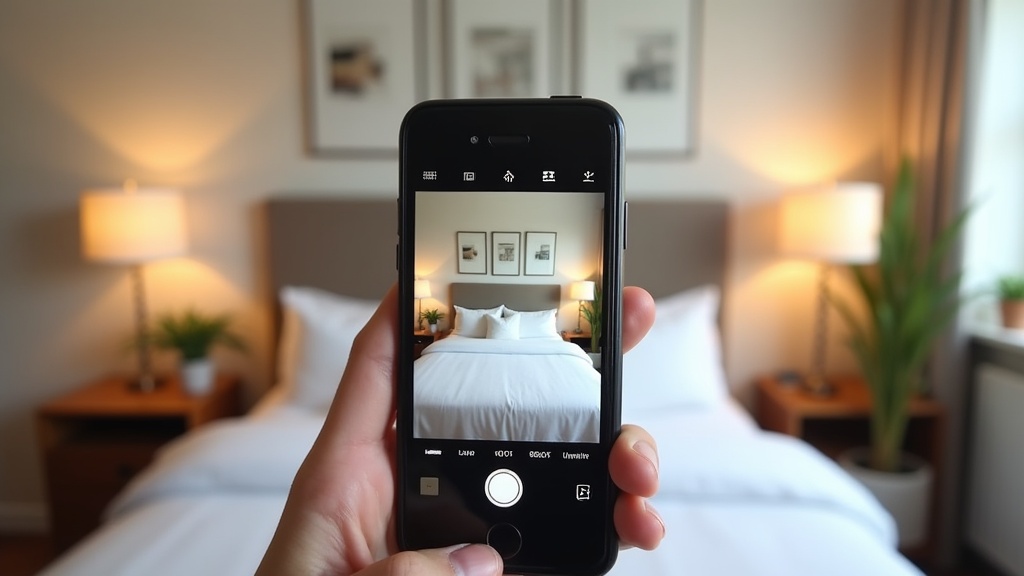
From our own portfolio: the listing photos for our short lets in Manchester were taken on a smartphone. That works for us; plenty of other hosts get great results from a professional shoot, and Zugrow works with whatever photos you have.
For more on creating strong property photos without hiring a professional photographer, see our detailed photo optimisation strategies.
How do you write descriptions that convert browsers into bookers?

Descriptions that convert answer the guest's biggest questions in the first two sentences, then work through the practical details that influence a booking.
Your 24-hour description rewrite:
Opening line rewrite
Replace generic phrases like "Welcome to our lovely home" with specific benefits:
- Before: "Beautiful flat in great location"
- After: "Stylish 2-bedroom flat with free parking, an 8-minute walk from Bath Spa station and the city centre's restaurants"
Essential information structure
Organise your description to answer these questions in order:
- What makes this place special? Standout features, best amenities, location advantages
- Who is it perfect for? Business travellers, families, couples or groups: be specific
- What's the neighbourhood like? Transport links, restaurants and attractions within walking distance
- What practical details matter? Check-in process, parking instructions, WiFi speed for remote workers
Writing for your likely guests
Tailor a sentence or two to the guests you're most likely to get:
- Business travellers: "Fast WiFi, a dedicated desk and a 15-minute commute to Canary Wharf"
- Families: "Enclosed garden, travel cot available, and a 5-minute drive to Legoland Windsor"
- Groups: "Sleeps 6, two bathrooms, and walking distance to Tower Bridge and Borough Market"
Only quote a WiFi speed you've actually measured. If your location naturally attracts a particular kind of guest, such as dog owners near good walks, say so plainly: mention the walking routes, the dog-friendly pubs and where muddy paws get cleaned.
Which listing settings help you show up in search?
A few settings can be changed in minutes and line up directly with what Airbnb says it considers in search.
Calendar and booking settings
- Open your calendar further ahead: Airbnb says the more dates a listing is available, the more likely it is to fit a guest's plans. Opening several months ahead gives early planners something to book.
- Review blocked dates: Unblock any dates you no longer need for personal use or maintenance.
- Consider Instant Book: Airbnb says listings that can be booked instantly may rank higher. If you want more control, you can add guest requirements such as a good track record on Airbnb.
- Check your trip length settings: Airbnb also notes that flexible minimum and maximum stay lengths help a listing match more searches.
Response speed
- Save quick replies: Airbnb's built-in quick replies let you save answers to common questions and personalise them with listing and reservation details, so a real reply takes seconds.
- Schedule routine messages: Quick replies can also be scheduled around a new reservation, check-in or checkout.
- Turn on mobile notifications: Your response rate is the share of new enquiries and reservation requests you answer within 24 hours, and your response time is the average time you take. For listings that aren't instantly bookable, Airbnb says how quickly hosts respond to enquiries is one of the things it considers in search.
Want to see how your listing measures up? Zugrow's free listing score shows where your listing stands and points to the highest-impact improvements for your property.
How can you use guest reviews for immediate credibility?
Reviews are part of the quality signal Airbnb describes, and they're what many guests read before booking. You can't change past reviews, but you can make the most of them.
Review response strategy
Airbnb lets hosts post a public response to a review, as long as it follows Airbnb's Reviews Policy. Respond to recent reviews promptly:
- Thank guests for specific mentions: "Delighted you enjoyed the garden and found the parking so convenient"
- Address any concerns calmly and publicly: it shows future guests you're responsive and care about the experience
- Mention improvements you've made: "Thanks for the feedback, we've since added blackout curtains and extra towels"
Make the good bits easy to remember
In your post-stay message, thank guests and mention the things you hoped they enjoyed:
- Location: "Hope you enjoyed exploring Bath's restaurants on foot"
- Practical amenities: "Glad the WiFi held up for your work calls"
- Special features: "We love the Victorian features in this place too"
Keep it a friendly reminder, nothing more. Airbnb's Reviews Policy says reviews may not be provided or withheld in exchange for something of value, and it doesn't allow pressuring anyone to influence a review.
What technology and automation improvements take minutes but save hours?
Messaging templates, pricing rules and a clear guidebook can be set up within hours, and they cut ongoing management time while making each stay smoother for guests.
Messaging automation setup
- Pre-arrival message: check-in instructions, WiFi details and local tips, timed so guests have them before they travel
- Arrival day message: a welcome with access details and how to reach you in an emergency
- Mid-stay check-in: a short "anything you need?" message on day two of longer stays
- Post-checkout follow-up: a thank you and a gentle reminder that reviews help
Airbnb's scheduled quick replies can send all of these automatically, timed around check-in and checkout in your listing's time zone.
Smart Pricing or a pricing tool
Airbnb's Smart Pricing adjusts your nightly price based on factors about your listing and area, within a minimum and maximum you set. Airbnb notes that discounts can take the price guests pay below your Smart Pricing minimum, so set the two together. Many hosts use a third-party pricing tool instead; either way, keep an eye on local events and seasonal patterns.
Digital guidebook creation
Create a simple digital guidebook using Airbnb's built-in guidebook feature or a shared document, covering:
- WiFi and TV instructions
- Local restaurant recommendations and delivery apps
- Transport connections and parking details
- Emergency contacts and local services
These quick wins are one part of a broader strategy. For how they fit into long-term success, explore our complete UK guide to Airbnb listing optimisation, which covers techniques for sustained growth.
Creating your 24-hour optimisation action plan
Start with the high-impact, low-effort changes, then work through the medium-effort ones.
Hours 1 and 2: title and description rewrite
- Review competitor titles for ideas
- Rewrite your title with specific location and amenity details, in under 50 characters
- Update your description's opening with concrete benefits
- Add practical details that address booking hesitations
Hours 3 and 4: photo audit and improvements
- Check your hero image for brightness and appeal
- Reorder photos following the sequence above
- Take missing essential shots (bathroom, parking, entrance)
- Remove any poor-quality or duplicate images
Hours 5 and 6: amenities and pricing review
- Audit your amenity list for anything you provide but haven't ticked
- Order the low-cost extras you're missing
- Compare prices with similar listings nearby for the same dates
- Set last-minute and length-of-stay discounts that still cover your costs
Hours 7 and 8: settings and automation
- Save quick replies and schedule your routine messages
- Open your calendar further ahead
- Review your minimum and maximum stay settings
- Turn on Instant Book if it suits your situation
Track your results over the following weeks in Airbnb's Insights section (if you don't see a Performance tab there, opt in to Airbnb's professional hosting tools in your account settings), which shows conversion (from views to bookings) and occupancy and rates. That data shows which changes made the biggest difference for your listing and market.
Frequently Asked Questions
How quickly do Airbnb optimisation changes take effect?
Edits to your title, description, photos and prices appear on your listing soon after you save them, though not always instantly. Any effect on search placement and bookings takes longer to judge, so give it a few weeks of data before deciding what worked.
What's the most important single change for immediate impact?
For many listings it's the title and first photo, because they're what guests see in search results. A title with specific location details and a key amenity, plus a bright, inviting hero image, gives more guests a reason to click.
How much should I spend on quick optimisation improvements?
Many of the best quick wins cost nothing: rewriting your title, reordering photos and ticking amenities you already provide. The low-cost extras above, such as a coffee maker, hair dryer and iron, add up to well under £100.
Do I need professional photos for quick optimisation wins?
No. Reordering your existing photos, using natural light and taking the missing essential shots with your smartphone can all be done within 24 hours. A professional shoot is worth considering later if your photos still hold you back.
How do I know if my optimisations are working?
Use the Insights section of your Airbnb account (you may need to opt in to Airbnb's professional hosting tools to see it). Conversion shows how many guests went from seeing your listing to booking it, and occupancy and rates show nights booked and your average nightly rate. Compare a few weeks before and after your changes.
Should I implement all optimisations at once or gradually?
Making several changes together gets results sooner, but makes it harder to tell which change helped. If you do everything in one go, note what you changed and when, so you can match it against your numbers later.
Sources, checked October 2026: Airbnb Help Centre on how search results work, pricing rules and discounts, Smart Pricing, quick replies, response rate, the Reviews Policy, conversion and occupancy and rates; Airbnb's guidelines for writing your listing title.
Ready to find out where your listing stands and which improvements would make the biggest difference? Get your free listing score from Zugrow and start with the changes that matter most for your Airbnb.